MCPJam
www.mcpjam.com- Category
- Developer Tools
- Rank
- No. 960Tools index
- Type
- TOOL
- Use case
- Model & Agent Evaluation · Software Testing & Quality
- GitHub
- 2.3k stars
- Latest release
- v3.18.0
- Date
About
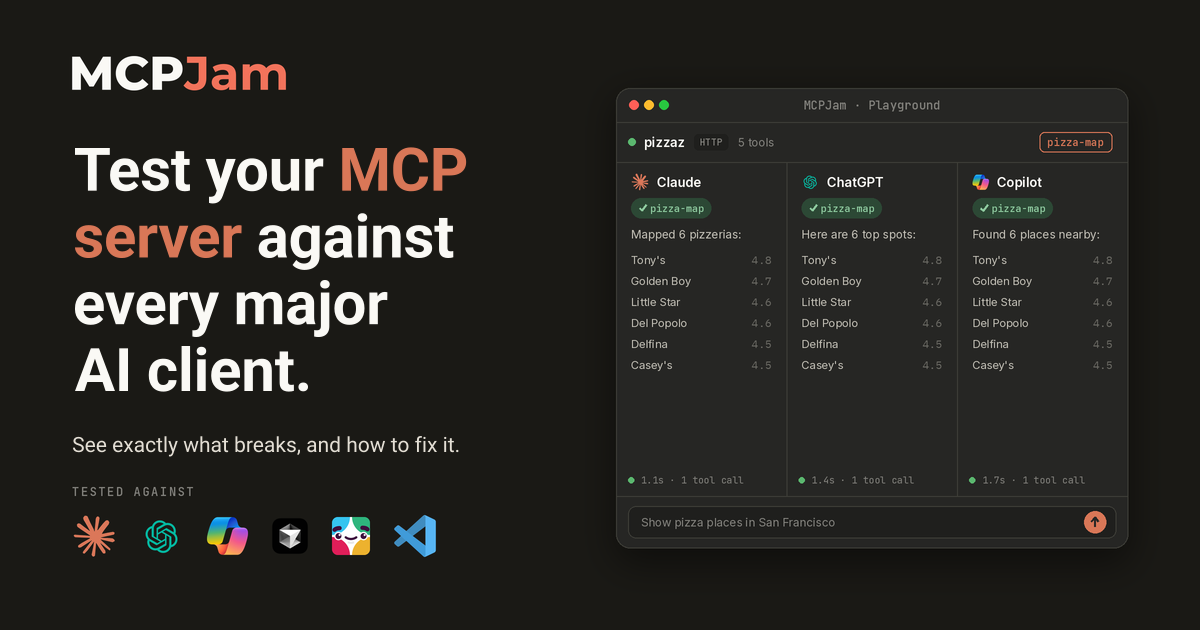
MCPJam is a testing and evaluation platform for MCP (Model Context Protocol) servers, letting teams simulate user swarms with different goals, watch real user sessions, and convert those workflows into repeatable evals across AI clients like ChatGPT, Claude, and Cursor. It addresses the visibility gap that appears when a product's users interact through an AI client and MCP server rather than the product's own interface, so teams can no longer see what was prompted or whether the agent's outcome was correct.
What it does
A workbench for people building Model Context Protocol (MCP) servers, the plug-ins that hand AI assistants tools and data. You connect a server, then call its tools, read its resources and run its prompts by hand, or let a chosen model drive it while a timeline records every protocol message and sign-in exchange. A guided debugger steps through each OAuth handshake. The same engine ships as a command-line program and a TypeScript library, so checks you run interactively can also run in a build pipeline.
Why it's ranked here
Apache 2.0 licensed, and it covers the whole loop for a server author: manual probing, model-driven chat, OAuth conformance across each spec revision including the draft, and machine-readable reports for CI. The command-line tool emits JSON when piped and JUnit XML for conformance runs, so it drops into existing pipelines without glue code. It also runs four ways, hosted, desktop, terminal and Docker, which means servers that talk over standard input and output are reachable, not just public HTTPS endpoints.
What's good
The local server is guarded with care: a fresh private access link on every start unless a fixed token is set, localhost binding by default, a host allowlist for LAN use, and plain warnings that the link grants control of connected tools. The command-line tool resets its exit status on every call, so scripted or embedded use does not inherit an earlier failure. The library checks skill files against their digests before a caller sees them, and the config loader accepts the three common server-map shapes without reformatting.
Tradeoffs
The surface is large. The repository is a monorepo of more than a dozen packages, Slack and Discord apps among them, and the server entry wires routes for cloud workspaces, sandboxed computers and hosted model billing. The hosted web app cannot reach local servers or plain HTTP, and has no skills or tasks. The terminal install downloads a Chromium browser on first start to render widgets. Account-bound commands need an MCPJam Cloud key, the command-line tool sends anonymous telemetry unless disabled, and there is no published Docker image.
How to use it well
Start with the terminal or desktop build if your server runs locally, and use the hosted app when teammates need to open the same HTTPS server from a shared link. In CI, use the command-line tool for protocol, OAuth and app-metadata conformance with JUnit output, and the library when you want snapshot diffs of a server's tool surface inside your own tests. Pass the quiet and JSON flags when an agent parses output. It does not build or host servers; it inspects ones you already have.
Technical notes+
mcpjam-inspector/server/app.ts builds a Hono app, generates a session token at boot, and instantiates MCPClientManager from the SDK with an rpcLogger and a separate httpLogger that both publish to rpcLogBus, which is how the trace view shows JSON-RPC bodies and HTTP headers. mcpjam-inspector/server/index.ts mirrors that wiring for the npm entry and swallows unhandled rejections caused by closed MCP connections. cli/src/index.ts is a commander program grouping local testing, Cloud and CLI commands, mapping usage errors to exit 2. sdk/src/index.ts re-exports probeMcpServer, runServerDoctor, diffServerSnapshots and a SEP-2640 verified skill read path; sdk/src/mcp-client-manager/index.ts carries the tasks and skills extension wire. docs/installation.mdx documents MCPJAM_SESSION_TOKEN and MCPJAM_ALLOWED_HOSTS.
Observed
- License
- Apache 2.0 (README.md)
- Language
- TypeScript
- Install surface
- Hosted web app, Mac and Windows desktop installers, npx package, Docker image built from source (docs/installation.mdx)
- Interfaces
- Web UI, mcpjam CLI, TypeScript SDK, stdio MCP server mode (docs/cli/overview.mdx)
- Server transports
- HTTP/S and local STDIO; hosted web app is HTTPS only
- CI reporters
- junit-xml and json-summary for protocol, OAuth and apps conformance commands
- Default binding
- localhost, port 6274, private access link per start
- Repository layout
- npm workspaces monorepo including inspector, sdk, cli, evaluators, slack-app and discord-app (package.json)
- Telemetry
- Anonymous CLI telemetry, disable with --no-telemetry or the telemetry disable command
Read from README.md, package.json, docs/installation.mdx, mcpjam-inspector/server/app.ts, mcpjam-inspector/server/index.ts, cli/src/index.ts, sdk/src/index.ts, sdk/src/mcp-client-manager/index.ts, docs/cli/overview.mdx.
Tags
Tech Stack
Media
Comments (0)
No comments yet
Editorially curated, with community endorsements as a secondary signal. Corrections welcome.