Optimize AI costs with Agent Observability
- Source
- datadoghq.com
- Date
Context
The problem this post addresses is that an AI provider's invoice says how much was spent but not why. As Datadog describes it, provider bills are organized by API key and model, while the things that actually drive spend sit inside the application: how many turns a loop runs, how many tools it calls, how much retrieved it carries, and how much of that context is sent again on every turn. A higher bill could mean more traffic, a model switch, poor prompt-cache use, a runaway , or a change somewhere in a multistep workflow, and the invoice alone cannot tell those apart.
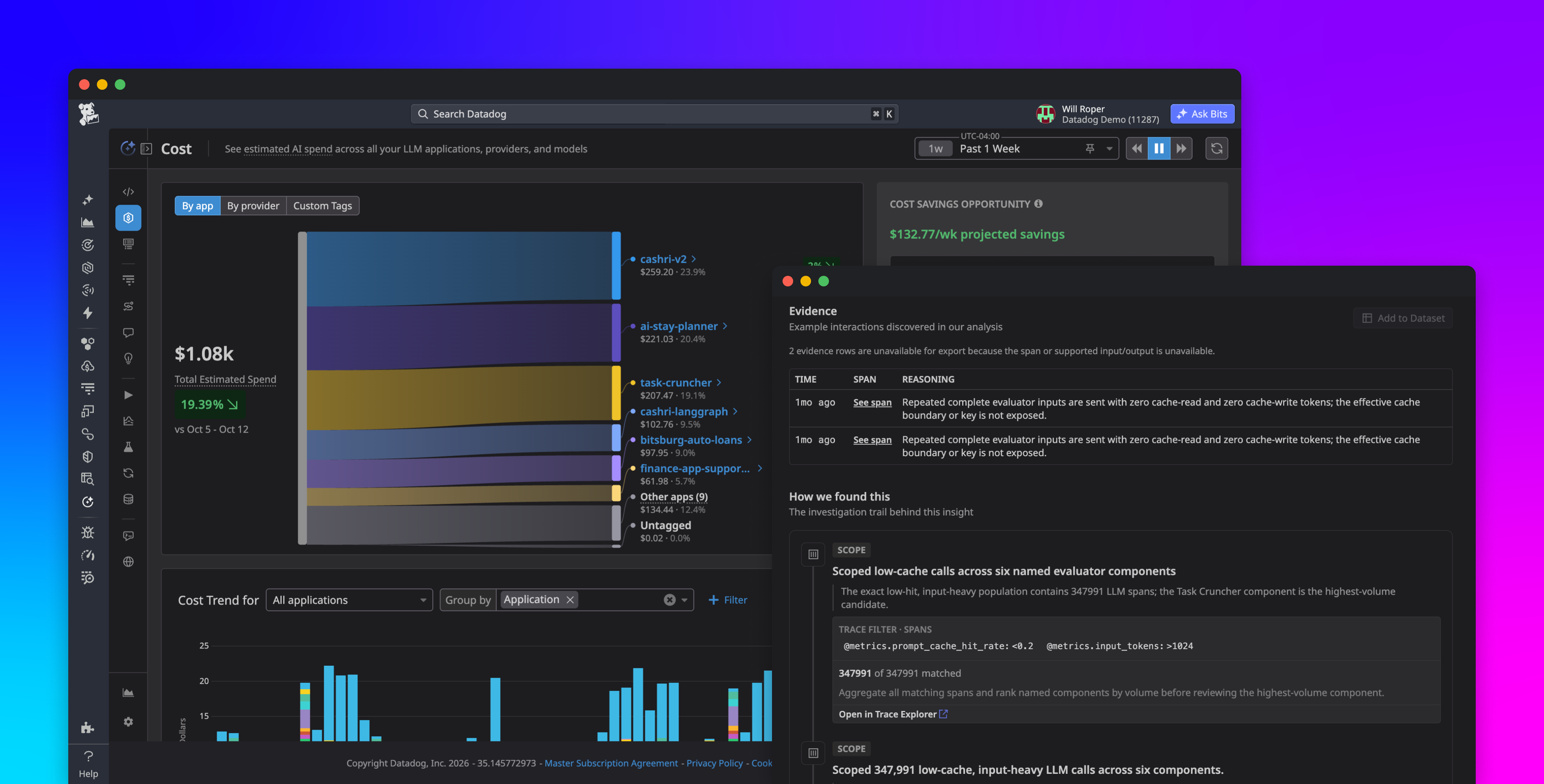
Datadog's answer in the announcement is to attach estimated cost to the traces its Agent Observability product already records. Spend can be split by application, provider, or custom tags such as team or feature, and set beside efficiency measures like cost per request and cache hit ratio. The post's own example shows why that pairing matters: a bill that rose 40% on 40% more traffic is a different problem from one that rose 40% while traffic stayed flat. From an expensive application, an engineer can open the costliest individual calls and follow each one into its trace, where spans show which agent step, tool call, or retrieval drove the tokens.
The more opinionated feature is Cost Savings Opportunities, which looks at observed request behavior and flags avoidable spend, mostly around . Prompt caching lets a provider reuse the processed start of a prompt when it repeats exactly, so anything that changes that opening on each call, such as dynamic content placed ahead of stable instructions, inconsistent message formatting, or tool definitions that shift between calls, quietly defeats it. Each finding comes with an estimated saving based on a stated target, for example raising an application's cache hit ratio from 0% toward 55% or 80%, plus the sample and limitations behind the analysis. The post presents these as estimates for engineers to check against their own traffic before changing code, and suggests testing any change against quality evaluations, not treating the projected saving as guaranteed.
- Datadog argues agent spend depends on architecture as much as model choice: how many turns the loop runs, how many tools it calls, how much retrieved context it carries, and how much of that context is re-sent every turn.
- Provider bills are keyed to API keys and models, not applications or workflow steps, so a higher bill cannot be traced to more traffic, a model change, poor cache use or an agent loop without per-trace cost attribution.
- Datadog's diagnostic rule: a bill up 40% on 40% more traffic is a different problem from one up 40% on flat traffic, which is why it pairs total spend with cost per request, cache hit ratio and cache reuse ratio.
- The cache waste it flags usually comes from how requests are built: dynamic content that changes a reusable prompt prefix, inconsistent message formatting, re-created prompt input, and tool definitions that change between calls.
- Its savings estimates state an explicit target, such as moving a cache hit ratio from 0% toward 55% or 80%, so engineers can judge whether the assumption fits their traffic before changing production code.
- AI agent — An AI system that doesn't just answer once but works toward a goal in a loop — taking actions, reading the results, and deciding what to do next.
- context window — The maximum amount of text a model can consider at once — its working memory for the current conversation or task.
- agentic loop — The cycle an agent runs in: decide, call a tool, read the result, decide again — repeating until the goal is met or a stop condition fires.
- prompt caching — Reusing the model's processed form of a repeated prompt prefix so subsequent calls skip re-reading it, cutting cost and latency substantially.


Checking sign-in…
Loading comments…