SwiftVM
swiftvm.app- Category
- Developer Tools
- Rank
- No. 1174Tools index
- Pricing
- Open Source
- Type
- APP
- Use case
- Deployment & Operations
- Interfaces
- Desktop · CLI
- GitHub
- 293 stars
- Latest release
- v1.14.0
- Date
About
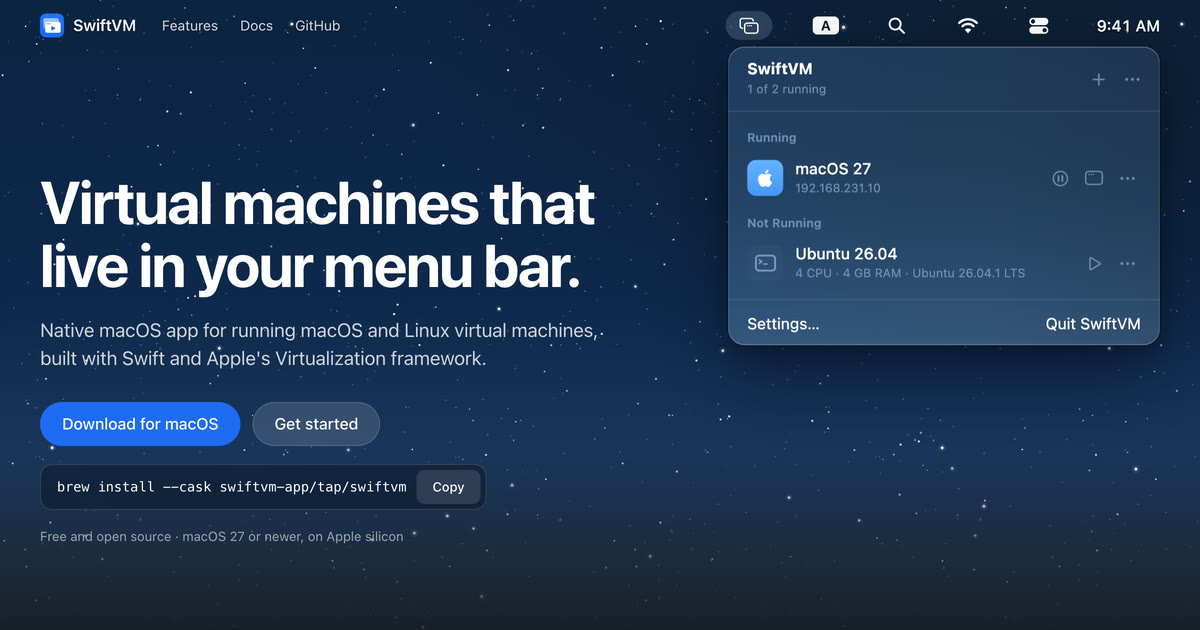
SwiftVM is a native macOS menu bar app for running macOS and Linux virtual machines on Apple silicon using Apple's Virtualization framework. It supports snapshots, instant duplicates, suspend and resume, shared folders and clipboard, port forwarding, USB passthrough, and SSH by machine name. A swiftvm command-line tool scripts everything the app does, and nothing runs as root.
What it does
A Mac app that sits in the menu bar and runs whole guest computers on Apple silicon: macOS, ARM Linux and Windows 11 for Arm. It picks one of two engines per machine, Apple's own virtualization layer for macOS and most Linux guests, and QEMU for Windows and for Linux guests that want GPU drawing. Guests install and configure themselves, and a companion command-line tool talks to the running app over a private local socket, so anything clicked in the menu can also be scripted.
Why it's ranked here
The automation surface is the reason to look. Beyond start and stop, the command line can run a program inside a guest and return its exit status, copy files in and out, take screenshots, click and type, and read the guest's accessibility tree, all through a channel that needs neither guest networking nor SSH. That is a sandbox an AI agent can drive end to end, with snapshots to roll back a bad step. Add an Apache 2.0 license, a declared test target and a published private disclosure process, and it is a serious, inspectable project rather than a wrapper.
What's good
Specific choices show care. Snapshots and duplicates use APFS clones, so copies share unchanged disk blocks instead of doubling storage. The command line documents fixed exit codes: 124 for a timeout, 125 when the command never ran because the machine is down or automation is off. Quitting from a script refuses while a machine runs or a dialog is open rather than losing work. The Windows path downloads the installer from Microsoft and finishes with drivers and a logged-in account, and Linux Quick Create covers Ubuntu, Debian and Arch with setup scripts that resume after interruption.
Tradeoffs
The floor is steep: it requires macOS 27 or newer on Apple silicon, and Intel Macs and x86 guests are unsupported, with Rosetta only for x86 programs inside Linux. Networking is one shared NAT, with no bridged or host-only mode. Disks grow but never shrink. GPU-accelerated guests cannot suspend or take live snapshots, and Windows acceleration is labelled experimental yet on by default. Windows lacks USB passthrough, TPM and Secure Boot. The command line only works while the app is open, and guest automation is enabled by default, which matters if untrusted agents share the Mac.
How to use it well
Best for a developer on a current Apple silicon Mac who wants disposable macOS or Linux machines, or an agent sandbox with screen and shell access. Build a machine once, save it as a template, snapshot before risky steps, and prefer running commands and copying files over screen clicks, which the docs themselves call quicker and surer. Turn automation off on machines no script needs. It does not replace a server hypervisor or cloud fleet: one user, one Mac, one NAT network.
Technical notes+
Package.swift declares swift-tools-version 6.2, platform macOS 27.0, one executable target in App/ that depends on SwiftVMKit modules (VMCore, VZEngine, QEMUEngine, VMNetworking, DiskTools, FileSharing, Installers, SSHIntegration, VMControl, GuestChannel) plus Sparkle pinned exactly for updates, a SwiftVMTests test target, and default MainActor isolation. Per docs/tech/architecture.md, VMCore's BackendRouter chooses VZEngine or QEMUEngine per machine; the app listens on control.sock (current user only) and the CLI in Packages/SwiftVMKit/Sources/swiftvm/main.swift sends JSON ControlRequest values through ControlClient, failing on a non-ok ControlResponse. App/Model/ControlService.swift dispatches each command in an async handler on AppModel. Guest agents reach the host over virtio sockets (macOS, Linux) or virtio serial (Windows). The host app runs as the user; the macOS guest agent does use a root daemon inside the guest.
Observed
- License
- Apache-2.0 (LICENSE)
- Language
- Swift, Swift Package Manager (Package.swift)
- Host platform
- macOS 27 or newer, Apple silicon only; Intel Macs unsupported
- Install surface
- Homebrew cask or DMG download; CLI linked from inside the app bundle
- Interfaces
- Menu bar app plus command-line client over a user-only local control socket
- Guest systems
- macOS, ARM64 Linux, Windows 11 for Arm
- Virtualization backends
- Apple Virtualization framework and QEMU, chosen per machine
- Networking
- One shared NAT network; bridged and host-only unavailable (docs/tech/constraints.md)
- Tests
- SwiftVMTests test target declared in Package.swift
- Security policy
- Private vulnerability reporting via GitHub advisories (SECURITY.md)
Read from README.md, Package.swift, LICENSE, docs/tech/architecture.md, docs/tech/constraints.md, docs/features/command-line.md, docs/features/automation.md, Packages/SwiftVMKit/Sources/swiftvm/main.swift, App/Model/ControlService.swift, SECURITY.md.
Similar tools
Tags
Tech Stack
Media
Editorially curated, with community endorsements as a secondary signal. Corrections welcome.