- Category
- Developer Tools
- Rank
- No. 500Tools index
- Pricing
- Open Source
- Type
- TOOL
- Use case
- Coding
- Interfaces
- SDK
- Builder
- knadh
- GitHub
- 5.5k stars
- Latest release
- v1.0.0
- Date
About
Ultra-lightweight, zero-dependency UI library — semantic HTML, CSS, and JS in ~8KB min+gz. For when React feels like overkill.
What it does
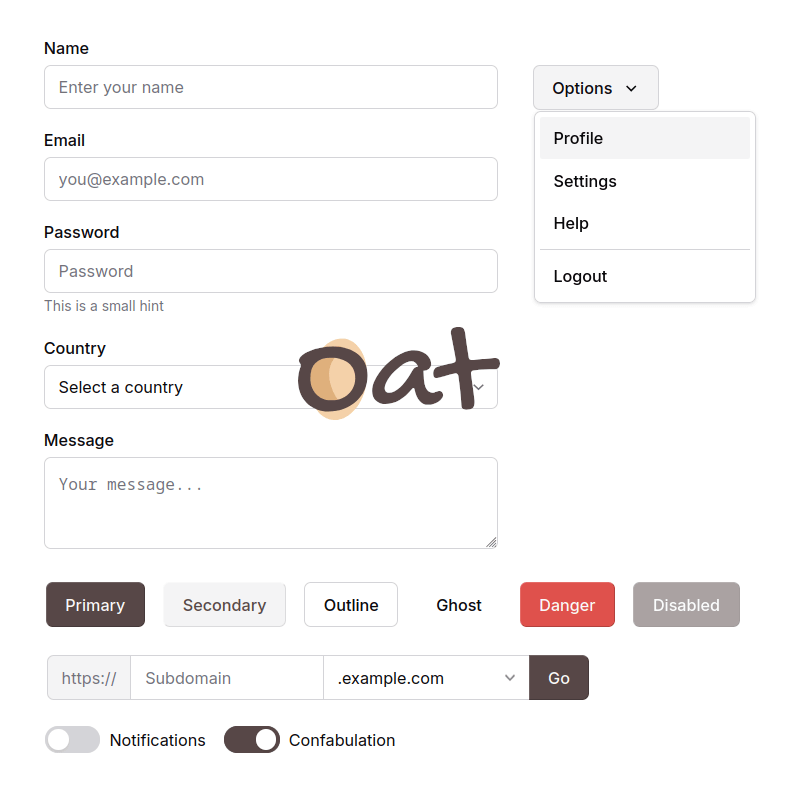
Oat styles semantic HTML directly, then adds interactive controls through small browser components. Basic elements need few or no classes. Tabs, dropdowns, uploads, tag inputs, sidebars, tooltips, and notifications receive targeted JavaScript behavior.
Why it's ranked here
Oat makes a convincing case for modest web applications that value readable markup and minimal setup. Its interaction code includes keyboard navigation, ARIA state management, event cleanup, and native browser features. The main caution is explicit: the project remains below version one and may introduce breaking changes.
What's good
The library preserves familiar browser primitives instead of hiding them behind a component framework. Tabs synchronize ARIA relationships and support arrow-key navigation. Dropdowns handle viewport overflow and keyboard movement. Uploads keep a native file input, while notifications pause their timeout on hover and include fallback cleanup when transitions fail.
Tradeoffs
Stability is not promised before version one. Several behaviors act globally: tooltip handling watches the document and removes title attributes, while sidebar handling uses document-wide click listeners and a hardcoded mobile breakpoint. The interaction layer assumes specific markup relationships, so malformed component structure can quietly produce no behavior or only a console warning.
How to use it well
Use Oat for server-rendered pages, small dashboards, internal tools, prototypes, or static applications where semantic markup should remain visible and editable. Start with native elements, add its prescribed roles and attributes, then import only the pieces you need. It does not provide application state, routing, data fetching, or a full framework architecture.
Technical notes+
The npm surface is defined in package.json as @knadh/oat with oat.min.js as main, oat.min.css as style, and css plus js directories included for individual imports. The Makefile concatenates src/css modules, bundles src/js/index.js as an IIFE with esbuild, minifies both assets, and produces gzip files. src/js/base.js defines OtBase lifecycle, event dispatch, keyboard navigation, and a Safari commandfor polyfill. src/js/tabs.js and src/js/dropdown.js manage ARIA and keyboard state. src/js/toast.js exposes toast helpers through window.ot via src/js/index.js. docs/content/usage.md documents CDN, npm, direct download, and source-level imports.
Observed
- License
- MIT
- Primary technologies
- Semantic HTML, CSS, and browser JavaScript
- Package
- Published through npm as @knadh/oat
- Installation surfaces
- CDN links, npm installation, direct asset download, and individual CSS or JavaScript imports
- Interface
- Browser UI library using contextual CSS, custom elements, DOM events, and a small global notification API
- Build tooling
- esbuild bundles and minifies JavaScript and CSS; gzip artifacts are also produced
- Runtime dependencies
- The repository describes the browser library as having zero dependencies
Read from README.md, Makefile, package.json, src/js/base.js, src/js/tabs.js, src/js/index.js, src/js/toast.js, src/js/upload.js, src/js/sidebar.js, src/js/tooltip.js, src/js/dropdown.js, src/js/taginput.js, docs/content/demo.md, docs/content/usage.md, docs/content/_index.md.
What it can do
Create lightweight user interfaces
HTML, CSS, and JavaScript code → Functional web UI components
Build web applications without heavy frameworks
Application requirements and design specifications → Minimal web application (~8KB compressed)
Generate semantic HTML structure
UI component definitions → Clean, accessible HTML markup
Style components with minimal CSS
Design requirements and component structure → Optimized CSS styling
Implement interactive functionality
User interaction requirements → Vanilla JavaScript event handlers and logic
Replace React for simple projects
React-based project requirements → Equivalent functionality in minimal code
Tags
Tech Stack
Media
Comments (0)
No comments yet
Editorially curated, with community endorsements as a secondary signal. Corrections welcome.