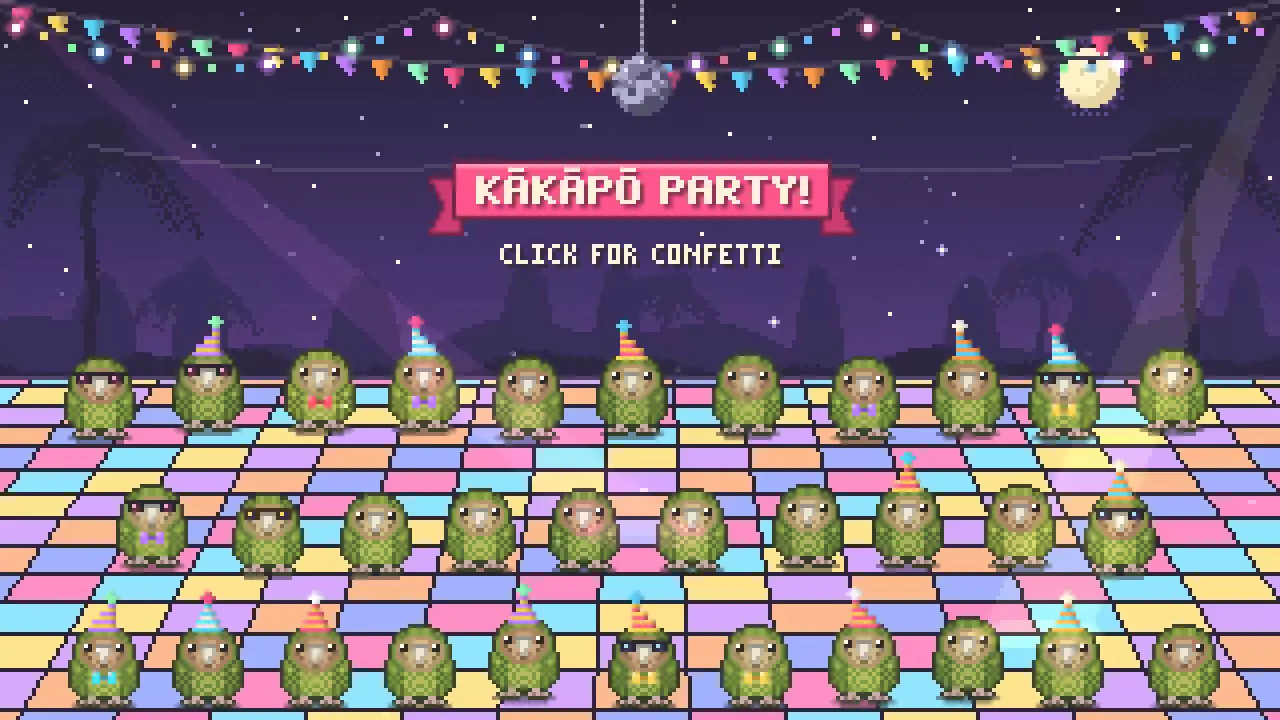
Simon Willison turned an AI-generated browser animation into a video for a presentation slide. He first asked Anthropic's Claude to create a pixel-art kākāpō celebration from reference photos. He then asked Claude Code to open the resulting page, trigger its confetti effects and record it, as described in his published workflow.
The accompanying script uses Playwright, a browser-automation tool, to load the page, click at scheduled times and save a recording. That second step bridges the format gap: an interactive web page becomes a video that can play inside a slide deck.
Key takeaways · AI-distilled
Willison dropped three kakapo photos from image search into Claude Opus 5.5 as visual reference and asked for an HTML5 canvas pixel-art party of at least 20 jumping kakapo with confetti.
To get a Keynote-ready clip he gave a local Claude Code session a plain-language spec: load the page, record 15 seconds, wait 3 seconds before clicking, and spread several clicks around the clickable area.
The Playwright script Claude Code wrote needs no screen recorder: it opens a 1280x720 browser context windowThe maximum amount of text a model can consider at once — its working memory for the current conversation or task.Full definition → with record_video_dir set, then fires ten timed clicks across the corners, edges and centre, sleeping to hit each timestamp.
The script declares its playwright dependency in an inline '# /// script' metadata header, so it runs as a single standalone file.
Terms in this piece · Glossary
context window — The maximum amount of text a model can consider at once — its working memory for the current conversation or task.