Nameplate
rowhitswami.github.io- Category
- Developer Tools
- Rank
- No. 3085Tools index
Previous survey · No. 2894 ·
- Pricing
- Free
- Type
- TOOL
- Use case
- Coding
- Interfaces
- Editor Extension
- Latest release
- v0.3.0
- Date
About
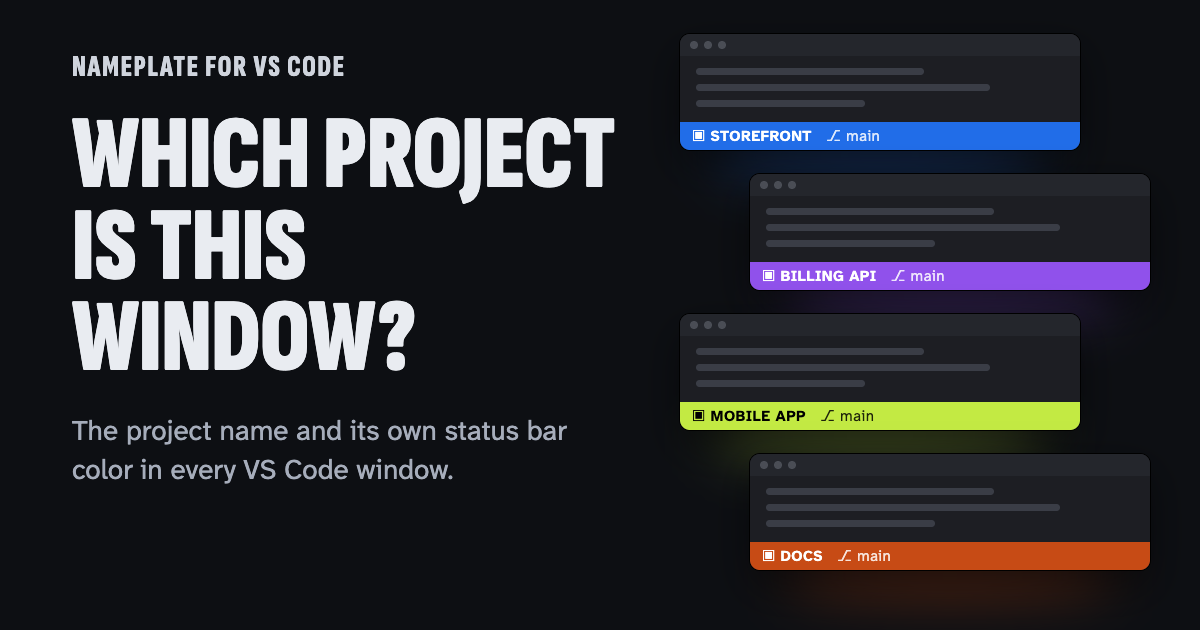
Nameplate is a free VS Code extension that shows the project name in the status bar and gives each window its own status bar color. The color is derived from the Git remote, so the same repository keeps the same color across machines, and windows opened together get visibly different colors. This reduces mistakes such as running a command or pushing a commit from the wrong project window. It also works in Cursor, Windsurf, and Antigravity.
At a glance
Nameplate gives each VS Code project a visible name and a status-bar color. It is worth trying if you regularly switch among similar-looking windows and have trouble spotting the right project.
Good fit
Developers with several repositories or workspaces open in VS Code or compatible editors.
Consider something else when
Pass if your current workspace colors or window titles already tell you which project is active.
Start here
Open two disposable workspaces and see whether the labels help you select the right one from the window switcher. Inspect local settings and Git configuration before and after.
Cost and requirements
The extension is MIT-licensed and targets VS Code 1.85 or later and compatible editors.
Limits to know
The publisher says the extension has no telemetry. It changes workspace settings and can add local Git exclusions or filters, so check those changes if your team manages workspace settings in version control.
Sources checked 2026-11-05. Source-based assessment.
Tags
Tech Stack
Media
Comments (0)
No comments yet
Editorially curated, with community endorsements as a secondary signal. Corrections welcome.