Fun With Computer Vision
funwithcomputervision.com- Category
- Education
- Rank
- No. 35Apps board
- Pricing
- Paid
- Type
- APP
- Interfaces
- Web
- Builder
- @measure_plan
- Date
About
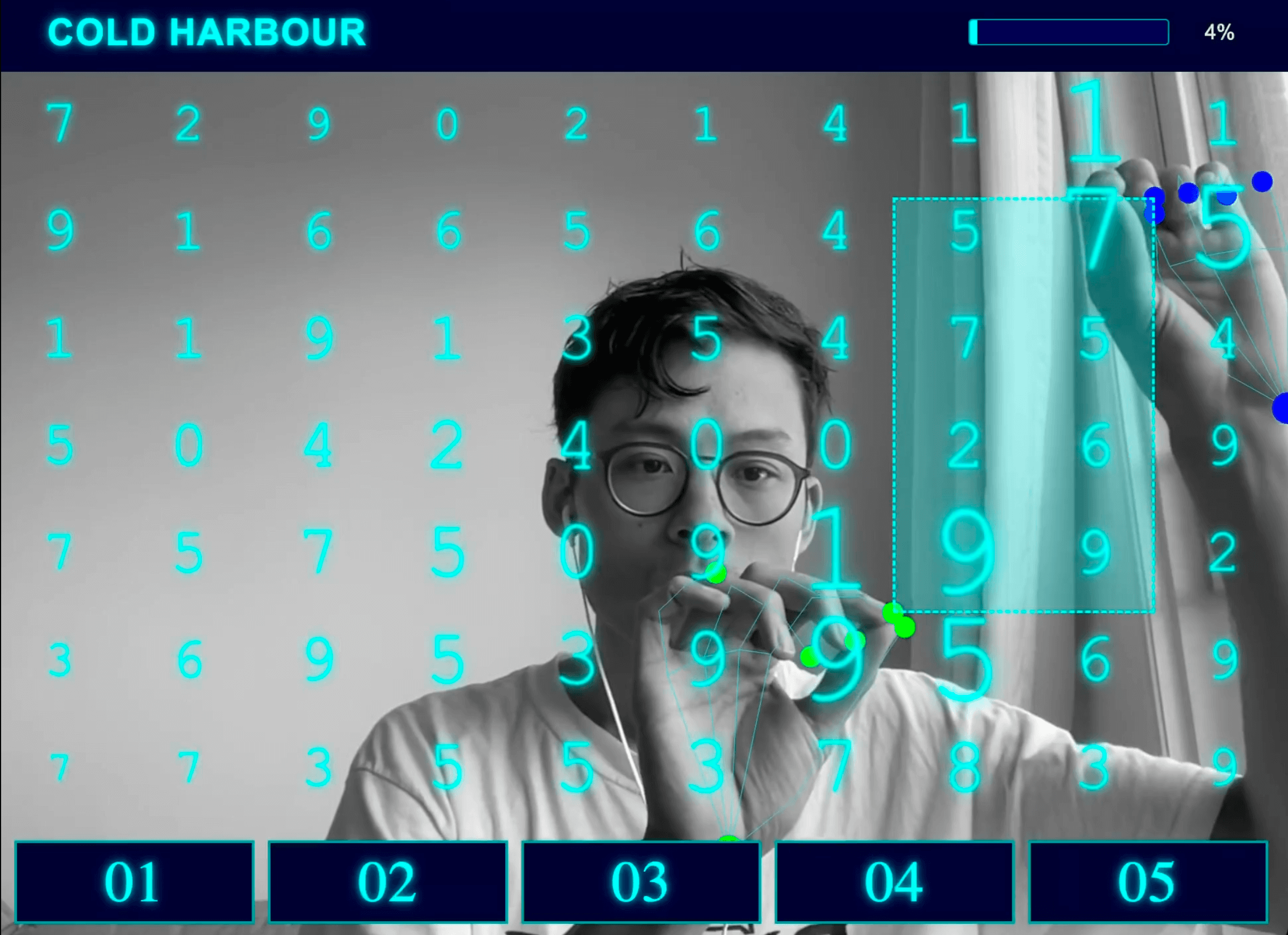
A collection of interactive computer vision tutorials and demos that teach you to build creative projects using hand tracking, voice control, and webcam input. Create games, music apps, and 3D experiences that respond to your gestures and movements.
At a glance
Fun With Computer Vision sells project code and written walkthroughs for making webcam gestures drive games, music and visual experiments. It is worth considering if you learn by modifying something visible and playful. Try the free Shape Creator sample before paying: the useful question is whether you want to understand and change that kind of interaction.
Good fit
Creative coders and beginners willing to work through JavaScript and browser graphics. The sample combines MediaPipe hand tracking with Three.js: pinching creates or moves a shape, and separating your hands changes its size. That connects detected hand positions to a concrete response instead of stopping at a computer-vision model demo.
Consider something else when
You want a finished everyday application or cannot permit webcam access. These are projects to learn from and adapt. The site says a regular laptop and webcam are enough, but the sample also requires a modern browser with WebGL; actual tracking quality depends on the camera and environment.
Start here
Open the free 3D Shape Creator repository linked in the FAQ and read its instructions and main.js alongside the demo. For the intended camera workflow, the controls are to pinch with both hands close together to create a shape, move them apart to enlarge it, and pinch near a shape to move it. A visible shape responding to those gestures is the first useful result before choosing a paid tutorial.
Cost and requirements
The site lists a one-time $10 lifetime-access option and $99 with priority support, checked October 31, 2026. It promises an email invitation to a private GitHub repository within 24 hours of purchase. The public sample’s README labels it MIT; that does not establish the reuse rights of every paid project.
Limits to know
In the public sample, camera frames are passed to MediaPipe in the browser; libraries and model assets load from third-party CDNs, and the page includes an analytics script. This does not establish data handling across the paid collection or voice-enabled projects. Camera and microphone access were not granted, and the paid lessons and quality of gesture tracking were not tested.
Still unclear
- What reuse terms apply to the projects delivered in the paid repository?
Sources checked 2026-10-31. Source-based assessment.
What it can do
Track hand movements and gestures
Webcam video feed → Hand position and gesture data
Process voice commands
Microphone audio input → Recognized voice commands
Create gesture-controlled games
Hand tracking data and game logic → Interactive games responsive to hand movements
Build motion-responsive music applications
Hand/body movement data and audio parameters → Music that changes based on user movements
Generate 3D experiences controlled by gestures
Hand tracking data and 3D scene parameters → Interactive 3D environments
Provide interactive computer vision tutorials
User interaction and tutorial content → Step-by-step learning modules
Detect and analyze body movements
Webcam video feed → Body position and movement data
Why it made the leaderboard
29+ interactive tutorials that turn your webcam into a controller — build games, music apps, and 3D experiences driven by hand tracking, gestures, and voice. Computer vision taught through play, at a one-time $10 for lifetime access.
Tags
Media
Comments (0)
No comments yet
Editorially curated, with community endorsements as a secondary signal. Corrections welcome.