Berd — Less chatting, more building.
berd.xyz- Category
- AI Agents
- Rank
- No. 2476Tools index
Previous survey · No. 2262 ·
- Pricing
- Open Source
- Type
- APP
- Use case
- Productivity & Collaboration
- Interfaces
- Desktop
- Builder
- @hams
- Date
About
Open-source desktop workspace for AI agent projects, chat, skills and automations, using a Goose backend and a configured model provider. The website preview and selected source were inspected without installing the desktop app or connecting a provider.
At a glance
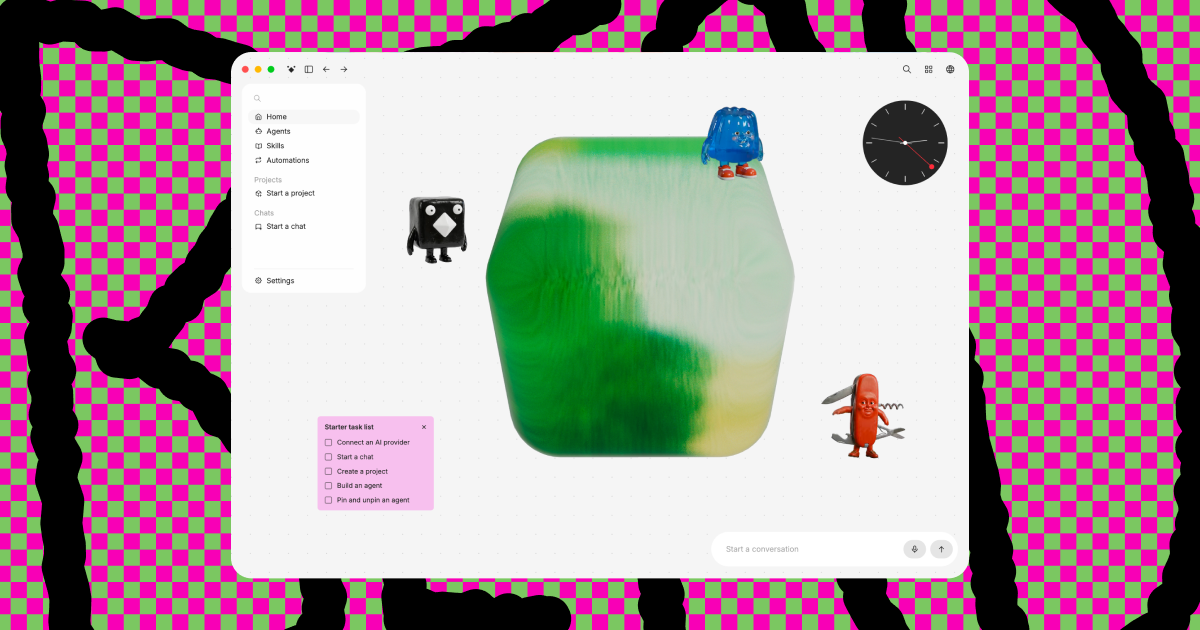
Berd is a desktop workspace for working with AI agents across projects, chat, skills and automations. It is worth investigating if you want those activities in one interface and are willing to configure a model provider. Its open-source application uses a Goose backend to run agent sessions. The website’s workspace preview gives a sense of the layout, but does not establish how well the installed app completes work.
Good fit
People who want a graphical home for agent work rather than assembling each interaction in separate terminals. The public preview exposes projects, agents, skills and automations together. The source explains how the desktop interface connects to a local Goose process, with provider configuration handled through that backend. This makes the provider choice and the agent’s allowed tools central to the experience, rather than treating the visible chat box as the whole product.
Consider something else when
You want a ready-to-use browser assistant without desktop setup, or expect a local interface to keep all model inputs on your machine. Model processing depends on the provider you connect. The website’s Connect AI provider button did not visibly advance in the inspected preview. That limits what the preview demonstrates; it does not establish that provider setup fails in the desktop application.
Start here
Start with the official repository and release requirements for your operating system. After a suitable installation, connect a provider, select a model and try a small task in a disposable project before adding important files or automations. The provider guide says saving credentials validates them by fetching the live model list, so a key, endpoint or provider limit can prevent setup. This is a proposed first trial: the desktop application and provider connection were not run for this guide.
Cost and requirements
The inspected repository is Apache-2.0 licensed. Model-provider charges and any external tools remain separate from the source licence. The desktop stack uses Tauri and a Goose backend; building from source also involves fetching or building its pinned Goose dependency. None of those build or download steps was executed here. The exact release’s operating-system requirements and the chosen provider’s billing conditions need checking before installation.
Limits to know
The evidence covers the public preview, selected application source and provider documentation. It does not establish installation quality, task success, credential encryption or automation reliability. The privacy policy describes optional official software telemetry separately from website data and says those telemetry events exclude prompts, files, code and credentials. That is a scoped policy statement, not a guarantee about data sent to a connected model provider or tools. No project, key, prompt, account or native executable was supplied in this assessment.
Still unclear
- Does the current release install and connect to the reader’s preferred provider on their operating system?
- Does a representative project task justify using this workspace alongside the reader’s existing agent tools?
Sources checked 2026-10-31. Source-based assessment.
- berd.xyz
- berd.xyz/sites/berd/privacy.html
- github.com/block/berd/blob/main/README.md
- github.com/block/berd/blob/main/LICENSE
- github.com/block/berd/blob/main/package.json
- github.com/block/berd/blob/main/distro/skills/berd-help/references/ai-providers.md
- github.com/block/berd/blob/main/src/features/providers/api/credentials.ts
- github.com/block/berd/blob/main/src/features/providers/defaultProviderConfig.ts
Why it made the leaderboard
Worth investigating for a graphical home for agent work. The guide separates the website preview from desktop use, explains provider setup and model cost, and keeps optional telemetry policy distinct from data sent to a connected provider.
Media
Comments (0)
No comments yet
Editorially curated, with community endorsements as a secondary signal. Corrections welcome.