Shotie
shotie.app- Category
- Developer Tools
- Rank
- No. 2908Tools index
- Pricing
- Paid
- Type
- APP
- Use case
- Design & Media
- Interfaces
- Desktop
- Date
About
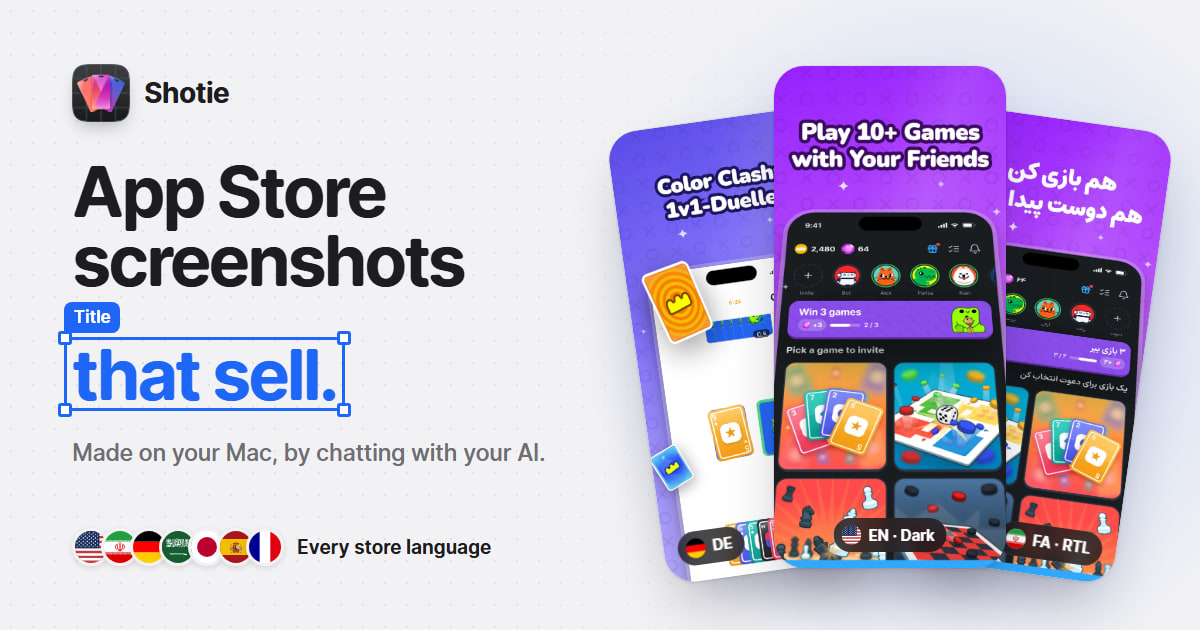
A native Mac app for making App Store and Google Play screenshots. It captures real screens from the Simulator or an emulator, or has an AI recreate screens from your code, and lets you edit the design by chatting with Claude, ChatGPT or Gemini. It checks that titles fit and stay readable in the real render, and exports a full set in every store language as one zip for App Store Connect. It runs locally, with no server.
At a glance
Shotie builds App Store and Google Play listing images from app screenshots on a Mac. It is worth considering if every release means rebuilding the same layout across languages and appearances. Start with screenshots you already trust, then let the editor reuse the layout and check text fit across the set.
Good fit
Mobile teams that repeatedly prepare localized listing images or need multiple sets for store-page experiments.
Consider something else when
Skip it if you are on an older Mac or only need to crop a few static screenshots once.
Start here
Import one screenshot from a test build, lay out one listing card and duplicate it into a second language. Check the exported image for overflow and contrast before building the full set.
Cost and requirements
Requires macOS 26 or later. The vendor lists €24.99 per year or €59.99 once, with possible taxes. Manual capture, editing and export work without AI. AI edits use a separately supplied Claude Code, Codex or Gemini CLI account.
Limits to know
The vendor says renders and exports stay on the Mac and the app checks its license periodically. If you use an AI editor, that tool reads project code under your account. Shotie exports the assets. You still upload them and run store-page tests in App Store Connect.
Sources checked 2026-11-05. Source-based assessment.
Similar tools
Tags
Media
Editorially curated, with community endorsements as a secondary signal. Corrections welcome.