Tinycast
abue-ammar.github.io- Category
- Productivity
- Rank
- No. 2049Tools index
Previous survey · No. 3059 ·
- Pricing
- Open Source
- Type
- APP
- Use case
- Productivity & Collaboration
- Interfaces
- Desktop
- Builder
- @abue_ammar
- GitHub
- 8.3k stars
- Latest release
- v0.11.19
- Date
About
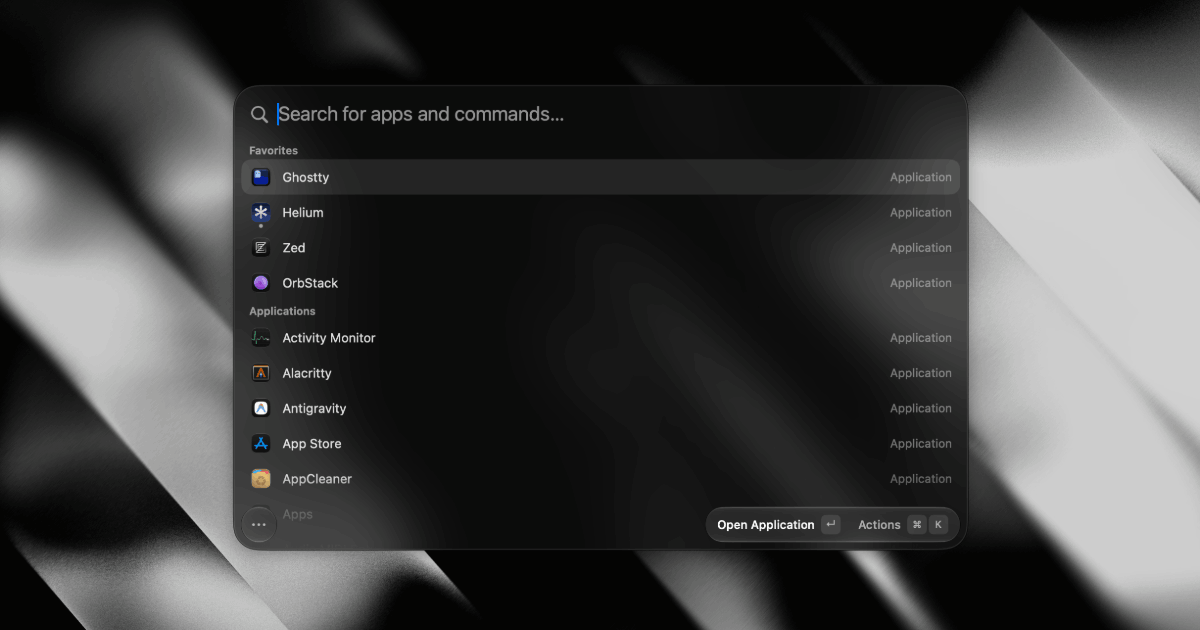
A tiny, native macOS launcher app offering fuzzy app search, a calculator, clipboard history, and global hotkeys in about 3 MB. It's positioned as a lightweight, local, telemetry-free alternative to Raycast, Alfred, and Spotlight.
What it does
Press one shortcut and a floating command bar opens over whatever you are doing. Type a few letters to open an app, a file, a saved link, a note, a text template or a window layout, and the result runs without leaving the keyboard. It is written in Apple's own interface frameworks with nothing else bundled, and it can load extensions written for Raycast, drawing their screens with native controls instead of a web view. Chat with an AI model, tool servers and local voice typing are all extras that stay switched off until you turn them on.
Why it's ranked here
Few launchers combine this much with this little. It ships with zero third-party dependencies, holds every change to a 100 MB memory budget, carries the AGPL-3.0 license, and still reuses the existing Raycast extension catalogue instead of asking authors to start over. The privacy defaults are specific: AI, tool servers and dictation are all off out of the box, API keys sit only in the macOS Keychain, and remote AI endpoints must use HTTPS. The hard ceiling is reach. It needs macOS 26 or later and has no automated build checks, so it suits early adopters on current Macs more than teams that need a vetted standard.
What's good
The heavy work is pushed out of the main app on purpose. Reading text out of copied images and PDFs runs in a small helper process that exits after each item, and voice typing loads its speech models in a separate helper that is shut down after a minute idle by default. Voice recordings stay in memory, capped at five minutes, and are never written to disk or sent over the network. The AI layer accepts Apple's on-device model, your own API keys, or an installed Codex, Claude, Grok, OpenCode or Cursor command, and a key saved for one endpoint is never sent to a different host.
Tradeoffs
It needs macOS 26 or later, so older Macs are out entirely. Builds are self-signed, which means a manual quarantine command if you skip Homebrew. The project's own testing guide says there is no continuous integration and no standard Xcode test target: a set of standalone test programs is run by hand before each change. Contributions are gated hard, with any pull request that does not close an approved issue closed automatically, and the feature set is described as deliberately closed. Raycast extension support is a reimplementation of Raycast's interface layer, so an extension that leans on something the shim lacks may not behave the same.
How to use it well
Install through the Homebrew tap and pick the universal build on an Intel Mac. Record a global shortcut first, then bind the apps you switch to most onto their own keys. If you already use Raycast, import your setup and existing extensions rather than rebuilding them. Leave AI and tool servers off until you need them; when you enable tool servers, keep the per-chat approval prompt rather than granting permanent access. It fits a single developer who wants a fast, local launcher on a current Mac. It does not replace a team-managed tool or anything that must run on Windows or older macOS.
Technical notes+
project.yml targets macOS 26.0 with SWIFT_VERSION 6.0 and SWIFT_STRICT_CONCURRENCY complete, enables the hardened runtime and symbol stripping for Release, and signs with a stable self-signed identity so the Accessibility grant survives rebuilds. It defines three targets: the app, a ClipboardTextHelper tool, and a DictationHelper app embedded under Contents/Helpers, which keeps Vision, PDFKit and Core ML out of the main process. docs/architecture.md describes a pure Model layer (Foundation only, environment injected), a Service effect layer, observable state and thin SwiftUI views, all owned by one AppCore singleton started from applicationDidFinishLaunching. docs/features/extensions.md runs Raycast's prebuilt CommonJS bundles in JavaScriptCore against a generated runtime of about 200 KB that bundles React 19, react-reconciler, an API shim and Node polyfills, with at most two commands running concurrently. docs/features/mcp.md caps tool rounds at 25 by default, binds the OAuth callback only to 127.0.0.1:4962, and declines server sampling, elicitation and roots requests. docs/testing.md states there is no XCTest target and no CI; harnesses compile the shipped sources directly.
Observed
- License
- AGPL-3.0
- Language
- Swift 6.0 with SwiftUI and AppKit
- Platform
- macOS 26 or later
- Install surface
- Homebrew cask from a third-party tap, plus a self-signed DMG
- Extension support
- Runs Raycast extension bundles in JavaScriptCore, no Node.js
- AI and MCP defaults
- Both off out of the box
- Credential storage
- API keys kept only in the macOS login Keychain
- Testing
- Standalone harnesses run locally; no XCTest target and no CI
Read from README.md, project.yml, LICENSE, docs/architecture.md, docs/features/ai.md, docs/features/extensions.md, docs/features/mcp.md, docs/features/dictation.md, docs/testing.md.
Tags
Media
Comments (0)
No comments yet
Editorially curated, with community endorsements as a secondary signal. Corrections welcome.