← All IntelClip / AI Tools
Layout bounding boxes for PII removal, then VLM image enrichment
From Structuring the Unstructured - Cedric Clyburn, Red Hat · ≈12:36
Two reusable pipeline stages: use the layout model's element boxes to strip customer PII before ingestion, then annotate diagrams with a locally-run vision model so image content becomes retrievable text.
What’s in it
- Two reusable pipeline stages: use the layout model's element boxes to strip customer PII before ingestion, then annotate diagrams with a locally-run vision model so image content becomes retrievable text.
Clip transcript
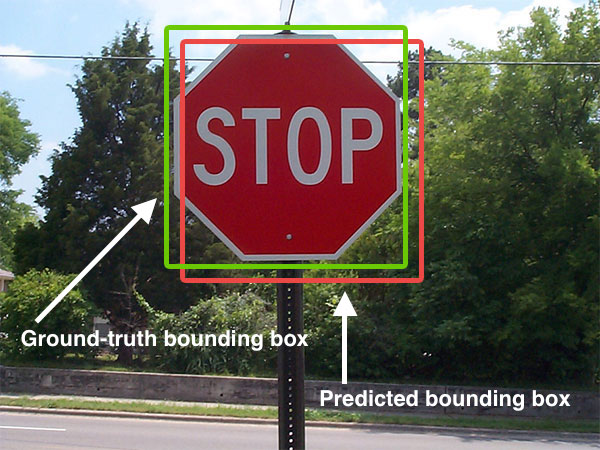
different photos in our source PDF?" I think what would help here is also to be able to visualize the document layout by using the bounding boxes provided by the layout visualizer here. So here what we're going to do is visualize all of the different elements and components that can be extracted from, say for example, that source PDF. So section headers or text or subtitles or different components such as that photo that we just pulled and extracted from the PDF. So this is one of the models that Doc Lee provides which can be used for situations where you might have personal identifiable information from a customer that you want to remove from a source document type before you extract that into your application. We can also use vision language models in order to enrich the source images and diagrams that might be in these document types using something like O llama or a third-party LLM. So what we're going to do here is set up a PDF pipeline that's going to use a local running Granite model and say, "Hey, give us a detailed description of what's happening in this image." And with that document converter, we're going to go ahead and display that enriched document by calling the OpenAI endpoint with Ollama that we have running locally at the completions endpoint. And so here we have an annotated caption of what's happening with that DocQuery pipeline image that we were taking a look at earlier. Where originally we were just pulling the caption, but now we can use a vision language model to describe what's happening in these photos. And with all this additional information, this can help us to build a really solid RAG pipeline to where we can do questioning and answering over our
Recommended reads
Comments
Checking sign-in…
Loading comments…