browser-use 1.0.0 — browser-use 1.0: CDP is all you need
- Source
- github.com
- Author
- gregpr07Top Viber
- Date
browser-use 1.0 rebuilds the web agent around a persistent Python REPL connected to the Chrome DevTools Protocol. The model now writes Python against the browser directly, which replaces the old DOM serializer and fixed action schema, and the rewrite removes 136,866 lines from the codebase. The project reports benchmark scores up to 33 points higher at 2.7 to 5.2 times lower cost. The release also changes defaults: the model and the browser now point at browser-use's cloud gateway and hosted browser. Teams that run the library on their own infrastructure have to set the model and browser explicitly after upgrading, or their runs leave their environment. The design choice matches a wider pattern in agent tooling, where giving the model a general code interface replaces a hand-built action vocabulary.
Context
Browser Use 1.0 is a rewrite of the open-source Python library for AI agents that operate web pages, and the release notes say it deleted 136,866 lines, about 80% of the code. The old design turned each page into a text description the model could read and gave the model a fixed menu of actions to pick from. In 1.0 the model instead writes Python that runs in one long-lived interpreter session connected directly to Chrome DevTools Protocol, the interface Chrome exposes so other programs can drive and inspect it. Each step, the model writes a cell such as opening a tab, clicking an element or running JavaScript, reads the output, and writes the next cell until it calls finish with a result.
The change most existing users will notice is where things run and who bills for them. In 0.x, a plain Browser() launched a local Chromium and a developer brought a key for each model provider. In 1.0, Browser() starts a browser in Browser Use's own cloud, the default model when none is set is bu-fast on Browser Use's gateway, and one Browser Use key covers both. A local browser now has to be requested with Browser('chromium'), which also matters because tasks on localhost or private IP addresses need one. A run is now capped at 100 model requests instead of 500, an option 1.0 cannot honor raises an error naming it before any browser starts, and a removed 0.x import raises an error that names its replacement. Projects can stay on the old line with `pip install 'browser-use<1'`, and the notes point upgraders to a migration guide.
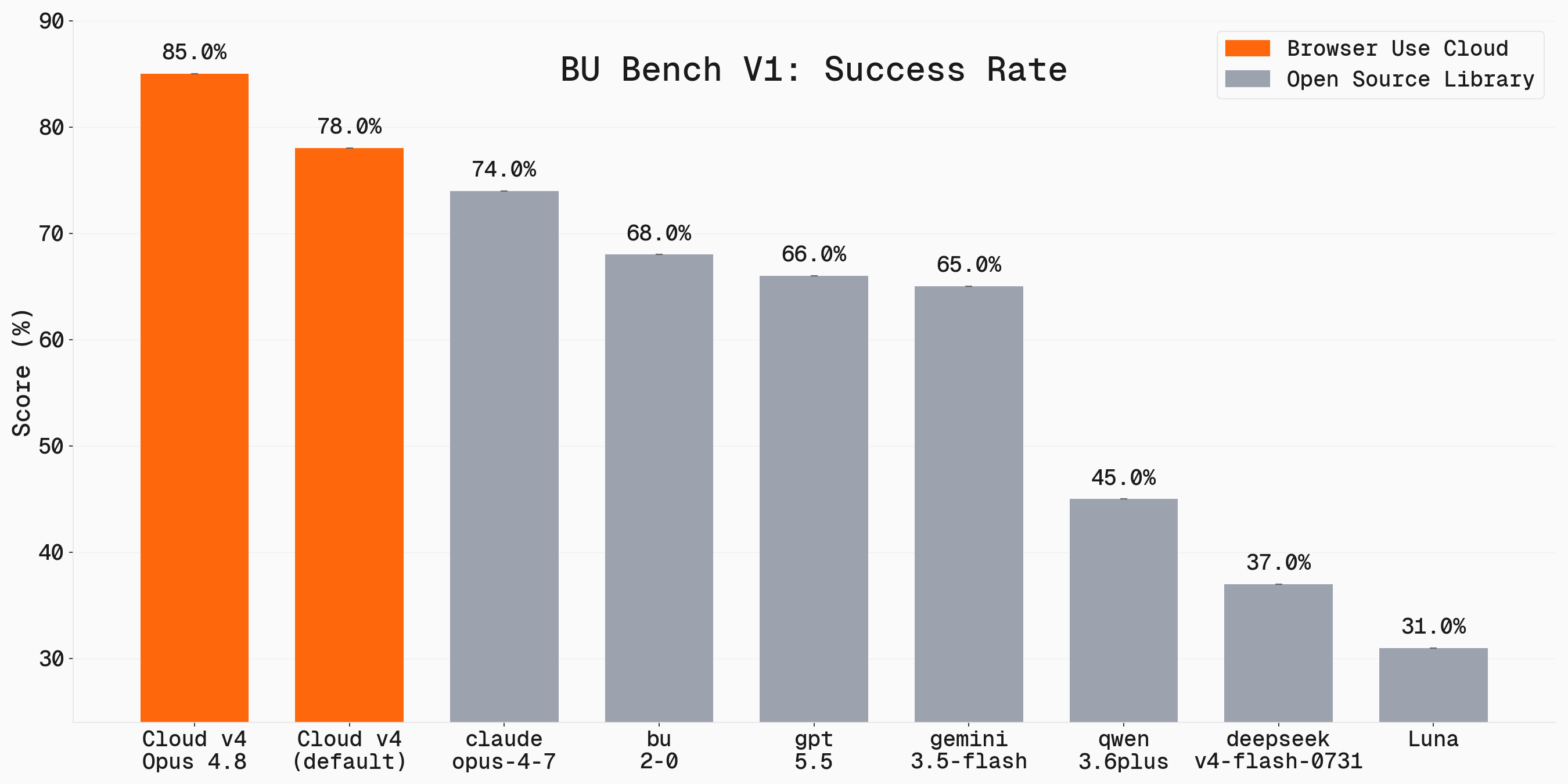
The performance claims are Browser Use's own and come in two forms that measure different things. A chart in the release compares 0.x and 1.0 on three models labeled Luna high, Terra medium and Sol medium, with 1.0 scoring 14.1 to 32.8 points higher out of 100, costing 2.7 to 5.2 times less in model spend per task and finishing 2.2 to 3.2 times faster; the notes do not say which tasks or settings produced that chart. The one comparison with stated method ran 60 tasks three times each on Browser Use's BU Bench v2 against a configuration called Browser Use Pi, which the notes do not describe. An OpenAI outage during that run cost Pi 18 of 180 runs and 1.0 only one, so with provider errors excluded the release itself reports no significant quality difference, while 1.0 was about $0.013 cheaper and 114 seconds faster per task. The default bu-fast model was not part of that run, and the judging was done by another model. The release links its description of 1.0 as the state-of-the-art web to Browser Use's benchmarks page, which reports results on Browser Use's own task sets and names no independent evaluator.
The reasonable reading is that 1.0 is a new architecture with a cloud-first default, and that its speed and cost gains rest on the vendor's measurements while its quality edge over the most recent comparison is not established. The pull request behind the 0.13.14 release had called it the last Python runtime release before a migration it did not explain; 1.0 is what followed. The notes also list known limits: every dependency is pinned to an exact version, so projects that need a different version of packages such as pydantic or cannot install 1.0 alongside them, and viewport emulation does not yet work on cloud browsers.
- browser-use 1.0 deleted about 80% of the library (136,866 lines). The agent now writes Python cells in one persistent REPL that runs directly on Chrome DevTools Protocol, with no DOM serializer or action schema in between.
- On BU Bench v2 (60 tasks x 3 reps), 1.0 scored 62.5 versus 56.3 for Browser Use Pi, but the team says an OpenAI outage inflated that gap. Excluding provider errors, quality showed no significant difference, while 1.0 cost $0.013 less and ran 114 s faster per task.
- Defaults changed: Browser() now starts a Browser Use Cloud browser and =None uses the bu-fast gateway model, so tasks on localhost or private IPs need Browser('chromium'). run() now caps at 100 steps (was 500) with a 1,700 s timeout.
- Upgrades fail loudly by design: an option 1.0 cannot honor raises a TypeError before any browser starts or anything is billed, and a removed 0.x import raises an ImportError that names its replacement and links MIGRATING.md.
- Every dependency is pinned exactly with a committed lockfile as a supply-chain policy. The release notes say a project needing a different version of pydantic, mcp, google-genai, pillow or another pinned package cannot install 1.0 alongside it.
- AI agent — An AI system that doesn't just answer once but works toward a goal in a loop — taking actions, reading the results, and deciding what to do next.
- MCP — The Model Context Protocol — an open standard that lets any AI assistant plug into any tool or data source without custom integration code.
- benchmark — A standard public test set for comparing AI models — the shared scoreboards behind every "model X beats model Y" claim.
- LLM — A large language model — the neural network behind tools like Claude and ChatGPT, trained on huge amounts of text to predict what comes next.

Checking sign-in…
Loading comments…