Usage Buddy
www.usagebuddy.com- Category
- Developer Tools
- Rank
- No. 2545Tools index
Previous survey · No. 2489 ·
- Pricing
- Paid
- Type
- TOOL
- Use case
- Productivity & Collaboration
- Interfaces
- Desktop
- Date
About
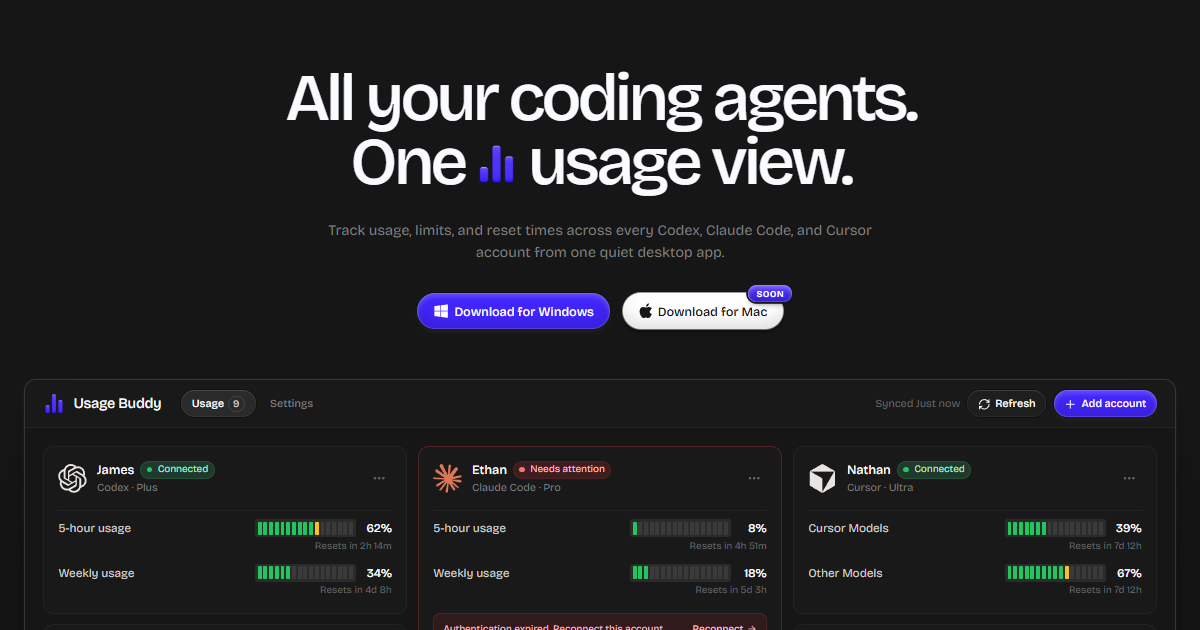
A desktop app for Windows that tracks usage limits, quotas, and reset times across multiple Codex, Claude Code, and Cursor accounts from a single view. It refreshes automatically, warns when an account is running low, and keeps all credentials and usage data local to the machine rather than syncing them to a server.
At a glance
Usage Buddy gathers usage limits and reset times for multiple coding agent accounts in a Windows app. It is worth considering if you regularly switch accounts or tools and need to know which allowance resets first.
Good fit
Windows users who track several Codex, Claude Code or Cursor accounts.
Consider something else when
Skip it if your provider’s own usage screen is enough or if you cannot give another desktop app access to the accounts.
Start here
Check the public dashboard illustration for the allowance windows you need. If you decide to try it, connect one permitted account and compare the first reading with its provider’s usage screen before relying on alerts.
Cost and requirements
The vendor sells a lifetime licence and lists 64-bit Windows 10 or 11. Check the price at checkout.
Limits to know
The vendor says credentials and usage data stay on your PC. Its documented refresh intervals mean the dashboard can lag behind the provider. Verify current values before starting a long session.
Sources checked 2026-11-05. Source-based assessment.
Why it made the leaderboard
Lets developers running multiple coding-agent accounts see remaining quota and reset times across Codex, Claude Code, and Cursor in one local dashboard instead of checking each provider separately.
Tags
Media
Comments (0)
No comments yet
Editorially curated, with community endorsements as a secondary signal. Corrections welcome.