Node Modules Inspector
node-modules.dev- Category
- Developer Tools
- Rank
- No. 3264Tools index
Previous survey · No. 3093 ·
- Pricing
- Free
- Type
- TOOL
- Use case
- Coding
- Interfaces
- CLI
- Date
About
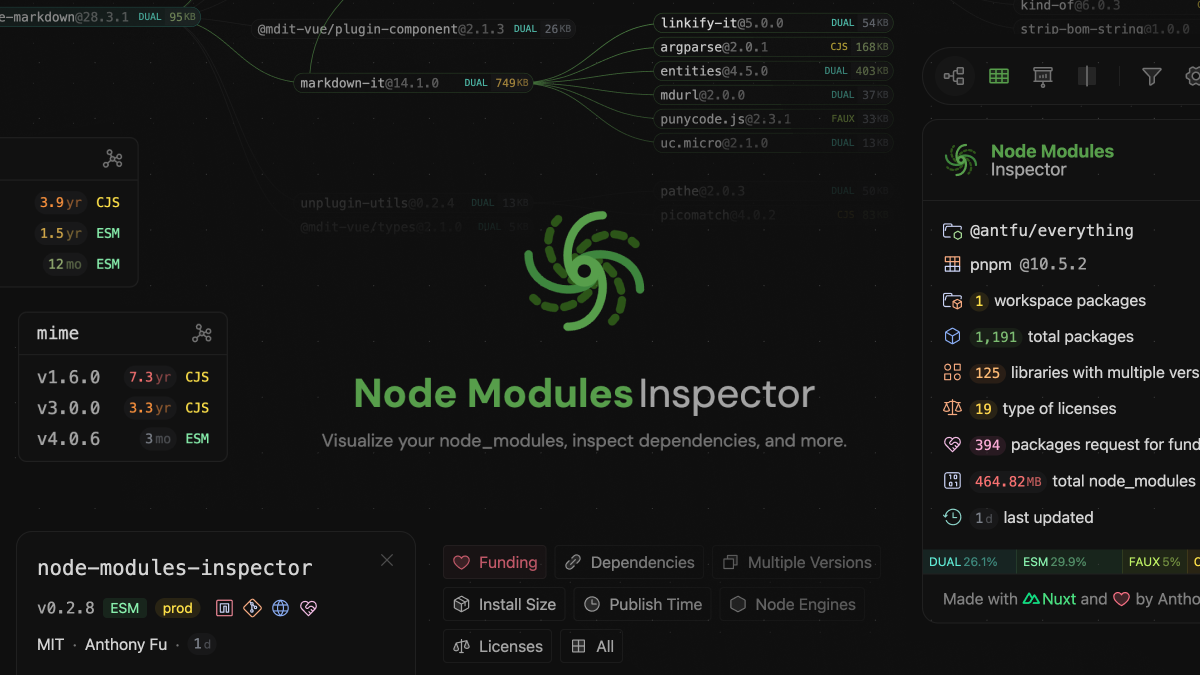
A tool for visualizing and inspecting your node_modules directory and project dependencies. Helps developers understand their dependency tree, identify issues, and analyze package structures in Node.js projects.
At a glance
Node Modules Inspector turns a JavaScript dependency tree into a visual report of package relationships, duplicates, sizes and licences. It earns a look when a project’s dependencies have become difficult to understand. The online Registry Query is a quick approximation; inspecting your installed project answers the more specific question of what your application actually carries.
Good fit
Developers investigating repeated libraries, dependency upgrades or an unexpectedly large node_modules directory. Following a package through a graph can explain why it is present and which dependency would need changing to remove it. This is installed-package analysis: a package’s disk size is different from how much code a production bundler sends to a browser.
Consider something else when
You only need one package’s version, or want an authoritative security verdict or production download-size measurement. The browser report displayed a clean vulnerability status, but that establishes neither the absence of undisclosed problems nor that the dependency is suitable for your project.
Start here
On the website, keep Registry Query selected, enter a public package and version, then open its report. A trial with react-dom@19.2.0 produced an approximate three-package report with dependency links and size information. Check whether its resolved versions match the question you are asking. For a real project, the documented CLI reads installed dependencies; review the installation and configuration before running it.
Cost and requirements
The browser query opened without an account or payment. The inspected package declares MIT and supports npm, pnpm and Bun project analysis. Registry mode fetches npm metadata and caches it in the browser. The separate Sandbox Install mode installs packages inside a WebContainer, so choosing it changes the workflow; that mode was not tried.
Limits to know
The CLI can serve a local report, emit JSON and expose dependency tools through MCP for coding agents. Its project configuration can load executable code, so a report command should be treated as running a tool in that repository. Research covered the CLI and the distinction between registry and sandbox paths. No local package, sandbox install, MCP client, bundle-size measurement or security audit was run.
Sources checked 2026-10-30. Source-based assessment.
- github.com/antfu/node-modules-inspector/blob/main/README.md
- github.com/antfu/node-modules-inspector/blob/main/LICENSE.md
- github.com/antfu/node-modules-inspector/blob/main/packages/node-modules-inspector/package.json
- github.com/antfu/node-modules-inspector/blob/main/packages/node-modules-inspector/src/node/cli.ts
- github.com/antfu/node-modules-inspector/blob/main/packages/node-modules-inspector/src/app/registry/index.ts
- github.com/antfu/node-modules-inspector/blob/main/packages/node-modules-inspector/src/app/webcontainer/container.ts
- node-modules.dev
What it can do
Visualize dependency tree structure
node_modules directory → Visual representation of dependency hierarchy
Analyze package dependencies
Node.js project files → Dependency analysis report
Identify dependency issues
Project dependency tree → List of potential problems and conflicts
Inspect package structures
Individual npm packages → Package structure and metadata details
Map project dependencies
package.json and node_modules → Complete dependency mapping
Why it made the leaderboard
Visualizes your node_modules and dependency tree so you can see what your project actually pulls in — find duplicate packages and bloat instead of guessing from lockfile diffs.
Tags
Media
Comments (0)
No comments yet
Editorially curated, with community endorsements as a secondary signal. Corrections welcome.