p2p.kiwi
p2p.kiwi- Category
- Developer Tools
- Rank
- No. 880Tools index
Previous survey · No. 887 ·
- Pricing
- Open Source
- Type
- APP
- Use case
- Productivity & Collaboration
- Interfaces
- Desktop
- GitHub
- 6.6k stars
- Latest release
- v3.10.0
- Date
About
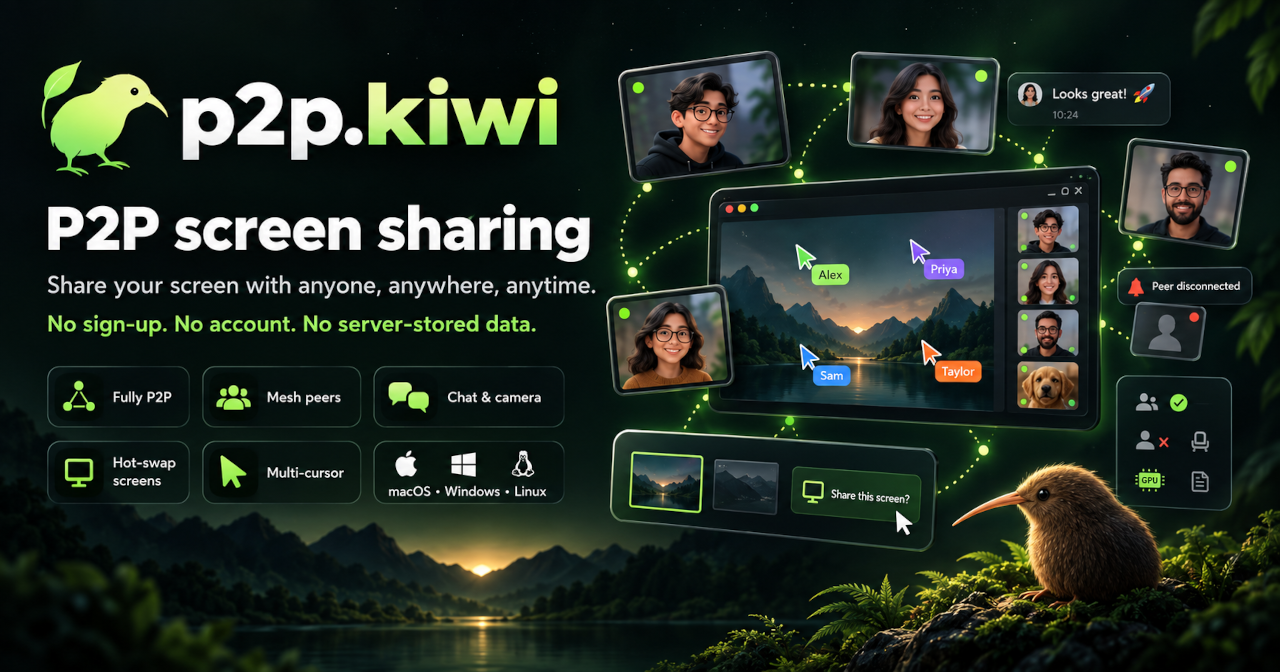
p2p.kiwi is a free, open-source, end-to-end encrypted peer-to-peer screen-sharing app for macOS, Windows, and Linux that also supports voice chat, text chat, multiple simultaneous remote cursors, and full remote mouse/keyboard control with an emergency key-chord to instantly cut off access. It runs as a P2P mesh network with no cloud service and no required accounts.
What it does
A desktop calling app built on Electron that connects participants directly over WebRTC, so the picture of your display travels between machines rather than through a hosted relay by default. Group key agreement uses MLS (Messaging Layer Security), and each video or audio frame is sealed with SFrame before it hits the wire. Sessions start from an invite link. A small native helper program draws the overlay and injects pointer and keystroke input when a guest is granted control.
Why it's ranked here
The encryption story is specific and honest. The README names the two IETF standards doing the real work and warns readers not to mistake ordinary WebRTC transport encryption for the end-to-end guarantee. The privacy policy admits what leaks anyway: connection metadata can reveal IP addresses and ports, and the default STUN server is Google's. Remote control is gated in native code rather than trusted to the interface. MIT licensed, with installers for all three desktop platforms. That combination of real cryptography, candid limits and careful control handling puts it ahead of most hobby screen-share tools.
What's good
Remote control refuses to arm at all unless the panic hotkey can be registered on that machine, and every pointer or key event must match the session, peer and grant number that was armed, so stale input after a revoke is rejected. Device identity keys go into the operating system's keychain or secret store when one is available. Invite secrets ride in the link's fragment, never in a query string, and are kept out of debug logs. The optional contacts server is off by default and never sees media or group keys.
Tradeoffs
The privacy policy states plainly that there has been no formal cryptography audit, so the end-to-end claim rests on the design, not on outside review. Peers still contact STUN servers, Google's unless you set your own, and those exchanges expose addresses. The main window runs with Node integration on and the renderer sandbox off, which widens the blast radius of any renderer bug. Media encryption appears as a separate settings toggle. Turning on the contacts server means trusting it with your sign-in identity, username, contact graph and presence.
How to use it well
Fits small teams and pairs who want to share a screen or hand over the mouse without a vendor account. Before a sensitive call, confirm media encryption is enabled in settings and set your own STUN or TURN servers if you do not want Google seeing connection setup. Test the emergency hotkey before granting anyone control. Install through Homebrew, the AUR, or the release downloads. Skip it where an audited product is a compliance requirement, or where you need recording and scheduling features of a hosted meeting service.
Technical notes+
Electron main process in src/main/index.ts registers the kiwi and legacy bananas URL schemes, enforces a single instance in production, and creates the window with sandbox false, nodeIntegration true and contextIsolation true. src/preload/index.ts exposes a KiwiApi bridge covering settings (e2eeEnabled, mediaE2eeEnabled, iceServers, emergencyHotkey), remoteControl arm/disarm and input calls, and a large bonjour contacts surface. native/overlay-sidecar/main.odin handles remote-control-arm by checking caps.emergency_hotkey, pointer and keyboard injection capabilities, and an emergency_generation counter; reject_stale_grant drops events whose sessionId, peerId or grantEpoch do not match. package.json pulls ts-mls, @hpke/core and @noble curves and hashes. electron-builder.yml ships the sidecar binary as an extra resource, a udev input rules file, and auto-updates from a generic p2p.kiwi feed.
Observed
- License
- MIT (LICENSE)
- End-to-end encryption design
- MLS-managed keys with SFrame media encryption over DTLS-SRTP (README.md)
- Cryptography audit
- Privacy policy states the app has not received a formal cryptography audit (PRIVACY.md)
- Default STUN server
- Google's STUN server unless the user configures their own (PRIVACY.md)
- Platforms and packaging
- Windows NSIS installer, macOS universal DMG, Linux AppImage, snap, flatpak and deb (electron-builder.yml)
- Install channels
- GitHub releases, AUR package, Homebrew cask (README.md)
- App framework
- Electron with a Svelte renderer, TypeScript (package.json)
- Native input helper
- Odin sidecar that refuses to arm remote control without an emergency hotkey (native/overlay-sidecar/main.odin)
- Renderer isolation
- Main window sets sandbox false and nodeIntegration true (src/main/index.ts)
Read from README.md, package.json, LICENSE, PRIVACY.md, Makefile, electron-builder.yml, src/main/index.ts, src/preload/index.ts, src/renderer/src/App.svelte, native/overlay-sidecar/main.odin.
Tags
Tech Stack
Media
Comments (0)
No comments yet
Editorially curated, with community endorsements as a secondary signal. Corrections welcome.