- Category
- AI Agents
- Rank
- No. 3790Tools index
Previous survey · No. 3597 ·
- Pricing
- Open Source
- Type
- AGENT
- Use case
- Coding
- Interfaces
- Desktop
- Builder
- millionco
- GitHub
- 26 stars
- Latest release
- v0.0.17
- Date
About
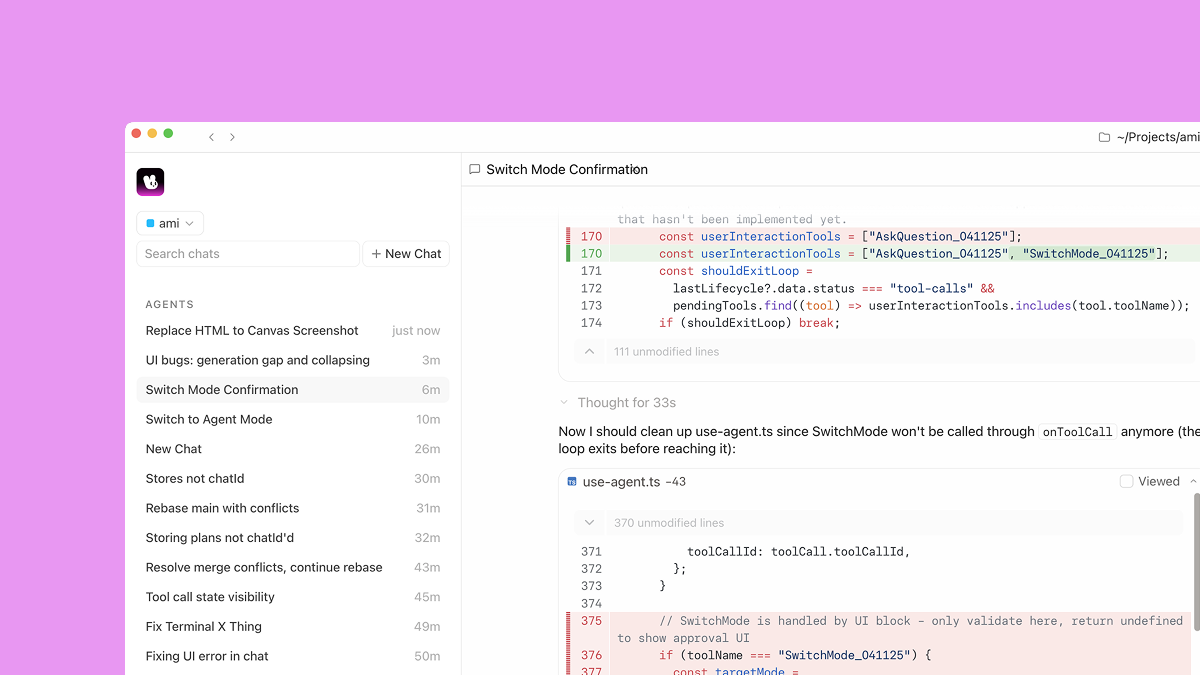
Desktop AI coding environment.
What it does
Ami runs coding agents locally through a native desktop application. Those agents receive access to the machine and its surrounding context, and can handle both quick jobs and tasks that continue for hours.
Why it's ranked here
Ami makes a focused case for developers who want local agents without leaving a desktop workflow. The repository supports that promise and documents simple installation, but contains release plumbing rather than the application source, so its implementation quality cannot be assessed here.
What's good
Agents run on the user’s machine with full access and context. The native desktop interface aims to keep agent work inside the existing flow, while support for tasks ranging from seconds to hours gives it a useful span of responsibility.
Tradeoffs
Local agents receive full machine access, which raises the importance of careful task scoping. The repository provides no application source, architecture details, tests, or supported agent list. Its license also reserves all rights and subjects use to commercial terms.
How to use it well
Ami fits developers who want coding agents beside their normal desktop work and need both quick assistance and longer-running tasks. Install it on supported Apple silicon Macs, then scope local access carefully. It does not replace a source repository for auditing internals or a documented cross-platform setup.
Technical notes+
README.md documents a Homebrew cask command and manual installation from GitHub Releases. LICENSE reserves all rights under Million Software Inc.’s commercial terms. SECURITY.md routes vulnerability reports to founders@million.dev. The release-triggered workflow in .github/workflows/update-homebrew.yml checks out the separate millionco/homebrew-ami repository, downloads an arm64 macOS ZIP, computes its SHA-256 hash, updates the cask version and hash, then commits and pushes those changes. The supplied repository text contains release automation and documentation, but no Ami application source or tests.
Observed
- License
- All rights reserved; use is subject to Million Software Inc.’s Commercial Terms of Service.
- Install surface
- Homebrew cask on macOS or manual download from GitHub Releases.
- Interface
- Native desktop application for running coding agents locally.
- Platform artifact
- Release automation downloads an arm64 macOS ZIP.
- Repository structure
- The supplied files contain documentation, licensing, security reporting, and release automation, with no application source or tests shown.
Read from README.md, LICENSE, SECURITY.md, .github/workflows/update-homebrew.yml.
What it can do
Generate code from natural language prompts
Natural language description of desired functionality → Source code in specified programming language
Debug and fix code errors
Code with bugs or error messages → Corrected code with explanations
Refactor existing code
Existing source code → Improved, optimized code structure
Explain code functionality
Source code snippets or files → Natural language explanations of code behavior
Convert code between programming languages
Code in one programming language → Equivalent code in target programming language
Generate unit tests
Source code functions or classes → Test cases and testing code
Optimize code performance
Existing code with performance issues → Performance-optimized code with improvements
Tags
Media
Comments (0)
No comments yet
Editorially curated, with community endorsements as a secondary signal. Corrections welcome.