Die With Me: LLM Edition
diewithme.co- Category
- Social
- Rank
- No. 200Apps board
Previous survey · No. 183 ·
- Pricing
- Free
- Type
- APP
- Date
About
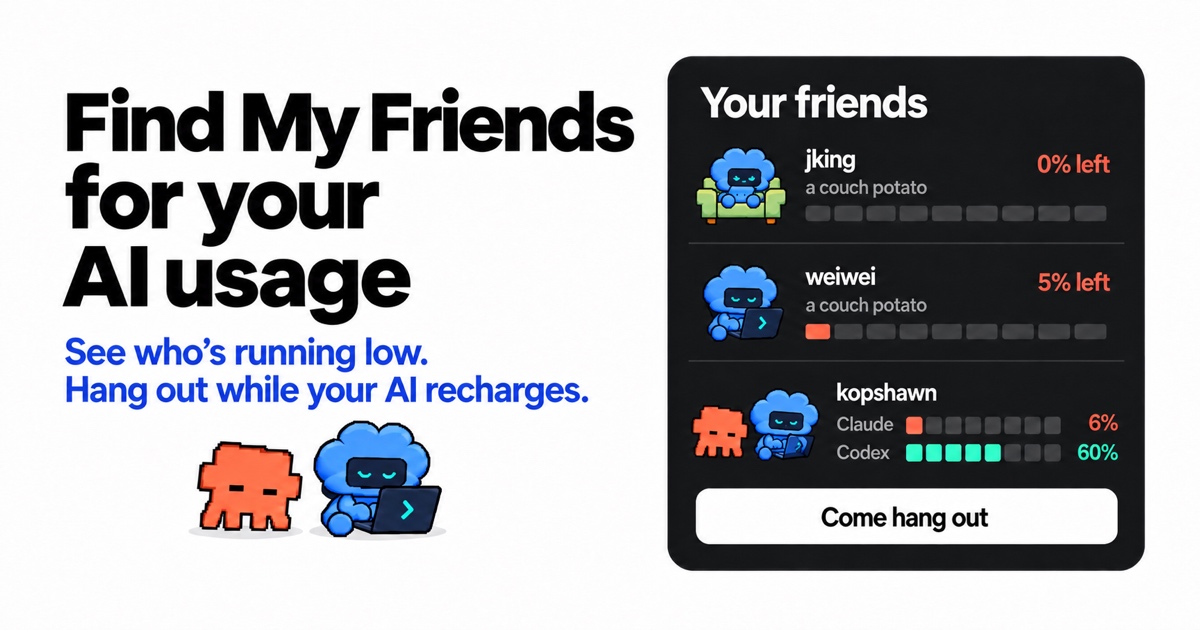
Free Mac social companion for friends using AI coding tools, with usage-status displays, invitations and low-allowance chat. The site requires an email to download and an invitation to activate. This source assessment explains its stated visibility and retention choices; the native app and real community were not tested.
At a glance
Die With Me: LLM Edition is a Mac social companion for people building with AI coding tools. It shows friends’ remaining allowance and offers a place to talk when usage runs low. It is worth considering if people you want to spend breaks with are already there and you are comfortable sharing usage status. The point is company around the work; a usage display or reset notification is not a source of extra model capacity.
Good fit
An existing group using Claude Code or Codex CLI that wants lightweight awareness of who is working, waiting or ready for a break. The product describes characters, invitation-based friendships and small lounges. Its value depends more on those social connections than on the character count or a leaderboard. This source assessment does not establish the quality or activity of the community.
Consider something else when
You want a browser chatroom, do not have a Mac, or prefer to keep model usage and conversations private. The site says an invitation is needed to activate, email is required for downloading, and usage appears on Global by default unless you change visibility. The room page explicitly presents scripted mascot chatter as a preview, not evidence that real members are currently talking. Windows is offered as a waitlist, not an available build.
Start here
Read the privacy explanation and preview the room before choosing whether to join. The published path is to obtain an invitation, download the Mac app, claim a username and connect supported usage; the homepage also describes a Just here to hang out option. Check visibility before sharing usage. The invitation page says chat opens at 10% remaining, while the room page says 20% for session or weekly allowance. Confirm the current rule in the app rather than planning around either number.
Cost and requirements
The site lists the app as free with macOS 13 or later and requires email to download and an invitation to activate. The policy says provider credentials remain on the Mac while usage visibility controls what members see. Email and invitation details are stored on its server. It also describes website advertising measurement, including hashed email in some events, and says measurement is currently enabled by default during a website test. Read the current settings and policy before submitting an address; no email was submitted for this guide.
Limits to know
The native app was not downloaded or run, so usage detection, credential handling and visibility controls remain publisher claims. The policy says member chat and lounge messages persist without automatic expiry. Voice transcription and translation use external Google Cloud services; that differs from an ephemeral private local chat. The room’s scripted preview and inconsistent entry thresholds leave actual access and social usefulness unverified. Review the audience and retention of what you share before posting.
Related work
Still unclear
- What chat-entry threshold and usage visibility does the current native app actually apply?
Sources checked 2026-10-31. Source-based assessment.
Why it made the leaderboard
Potentially worthwhile when people you already know want company around AI coding and usage breaks. Its appeal depends on those relationships and comfort with sharing usage status; scripted room previews do not establish an active community.
Tags
Media
Comments (0)
No comments yet
Editorially curated, with community endorsements as a secondary signal. Corrections welcome.