BenchUp
ketchup3d.github.io- Category
- Other
- Rank
- No. 100Apps board
- Pricing
- Open Source
- Type
- APP
- Date
About
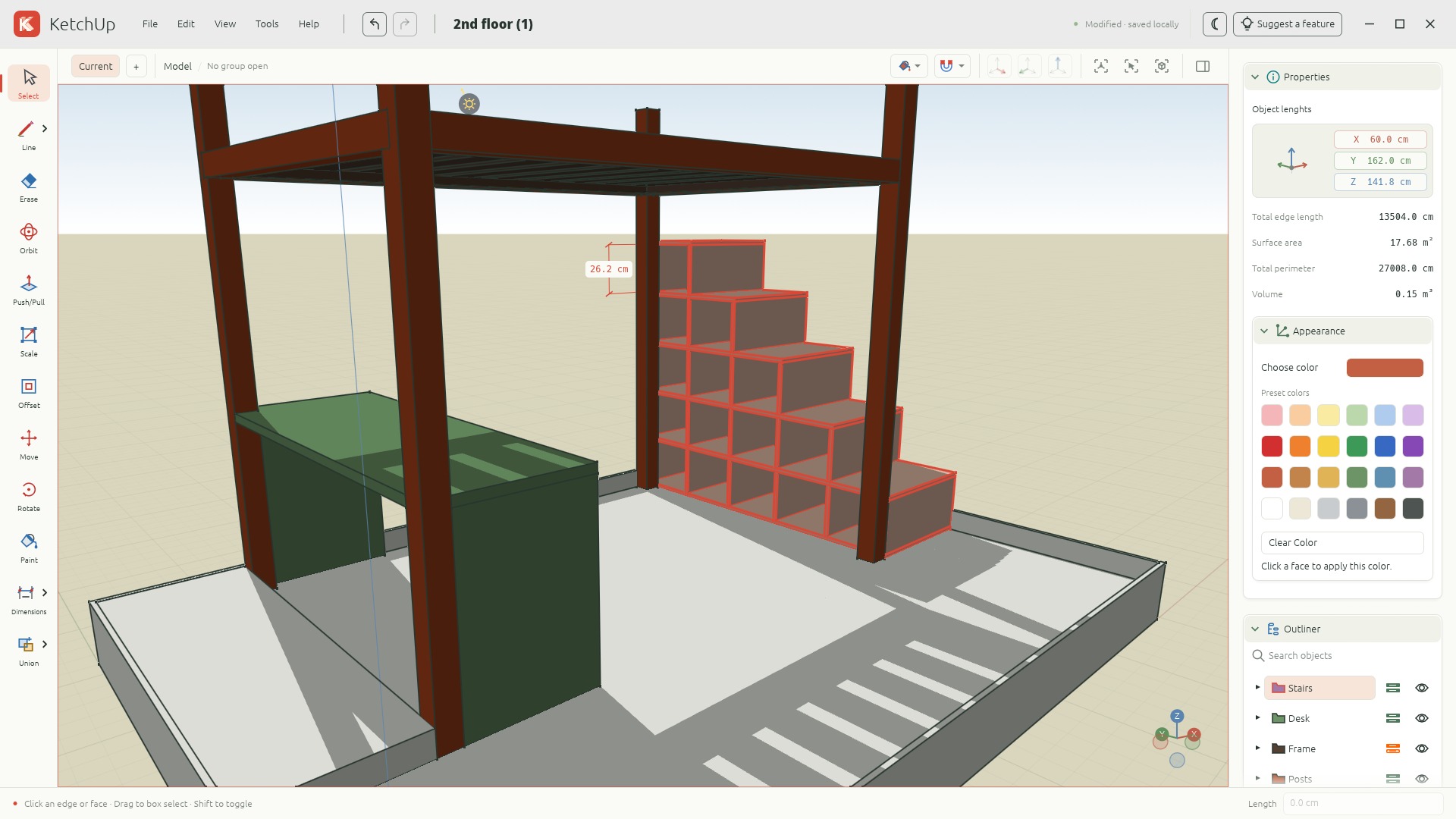
BenchUp is a free, open-source 3D modeling app for woodworking and furniture design, written in Rust. It runs natively on Windows, macOS and Linux and in a desktop browser through WebAssembly and WebGPU. It supports sketching, Push/Pull, exact dimensions, wood joinery, grain direction, cut lists and PDF export of cutting plans, and imports SketchUp files.
At a glance
BenchUp is a free, MIT-licensed 3D modeling app for planning furniture before you cut wood. You draw board outlines, give them thickness with Push/Pull, and check sizes with typed lengths, snapping and dimension tools. The same Rust editor runs as a Windows, macOS or Linux app and in a desktop browser, with no account required.
Good fit
Woodworkers, furniture makers and DIY builders who want to model a shelf, table, cabinet or workbench at exact size and check fit from every angle. The README also describes joinery tools (mortise-and-tenon, dovetail, finger joints and others), grain-direction guides, and cut lists and cutting plans, with cutting plans and time and cost estimates exportable to PDF.
Consider something else when
You plan to model on a phone or tablet, or need your projects synced to the cloud: the project lists mobile and cloud storage as outside this version. Skip it too if you rely on SketchUp textures, scenes or materials, since imports bring geometry only and OBJ export drops materials.
Start here
Open the browser editor from the homepage, or install the desktop build. In the empty model, pick the rectangle tool and click two opposite corners to make a face. Choose Push/Pull, click the face, move the mouse and click again to give it depth. Then use Orbit to look around and press F to fit the view.
Cost and requirements
Free and open source under the MIT license, with no account. Desktop installers cover Windows x64, Apple Silicon Macs and Linux x64. The browser version needs a desktop browser with hardware acceleration and WebGPU or WebGL2, and the site says it is made for a mouse and keyboard.
Limits to know
Browser work lives in local storage, so clearing browser data can remove autosaves; download project files you want to keep. The README notes that Windows and macOS execution and the browser's WebGPU and WebGL2 fallback still needed platform smoke testing. The landing page and README disagree on the project format (.ketchup versus the newer .bup), a leftover of the rename from KetchUp.
Still unclear
- Whether the current desktop installers are code-signed. The README says builds made without signing credentials are unsigned and that checksums do not replace publisher signatures.
Sources checked 2026-11-09. Source-based assessment.
Tags
Media
Comments (0)
No comments yet
Editorially curated, with community endorsements as a secondary signal. Corrections welcome.