Codex Monitor
github.com/dimillian/codexmonitor- Category
- Developer Tools
- Rank
- No. 782Tools index
Previous survey · No. 773 ·
- Pricing
- Open Source
- Type
- APP
- Use case
- Deployment & Operations
- Interfaces
- CLI
- Builder
- dimillian
- GitHub
- 4.3k stars
- Latest release
- v0.7.67
- Date
About
Dimillian's app for keeping an eye on the OpenAI Codex CLI — watch active agent runs, surface results, and stay aware of what your agents are doing.
What it does
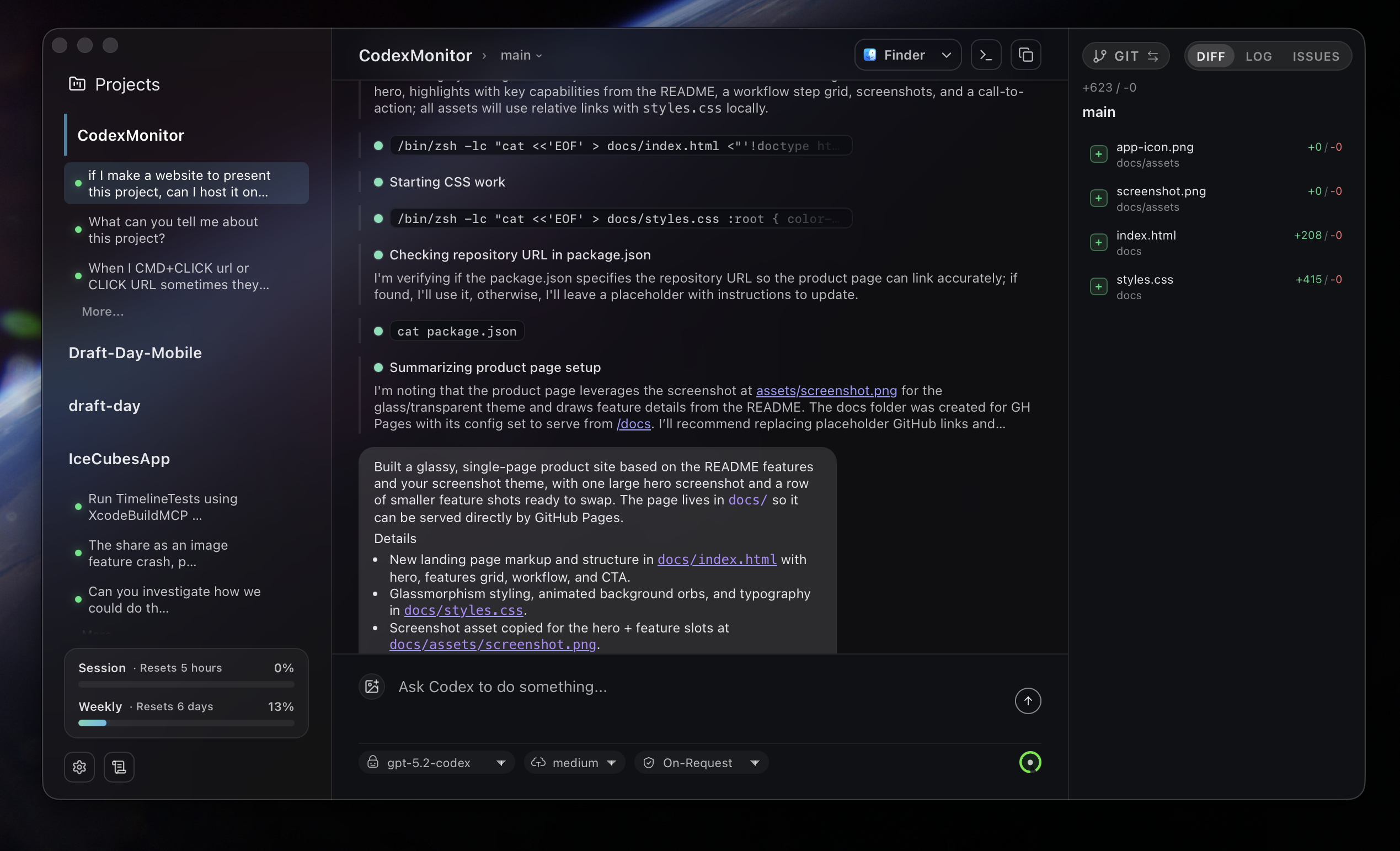
Codex Monitor is a desktop workspace for running and directing multiple Codex agents. Each workspace gets its own Codex app-server process, while conversations expose messages, reasoning, tool activity, diffs, approvals, and follow-up controls. It also folds in worktrees, file browsing, prompts, Git operations, GitHub context, and an experimental terminal.
Why it's ranked here
The scope is unusually practical for developers juggling several agent sessions. Persistent workspaces, resumable threads, isolated worktrees, approval handling, and Git controls form a coherent operating console. The optional self-hosted daemon extends that workflow across machines, though mobile support and some features remain unfinished.
What's good
Thread controls go beyond basic chat: users can pin, rename, archive, copy, interrupt, queue, or steer work. Worktree and clone agents isolate changes. Git views cover diffs, staging, branches, history, and upstream state. The prompt library, file autocomplete, image attachments, model controls, and approval rendering reduce trips to separate tools.
Tradeoffs
Building from source requires Node.js, Rust, CMake, and additional LLVM tooling on Windows. Codex and Git must already be installed, while GitHub features depend on a separate optional CLI. Mobile support remains work in progress, with terminal and dictation unavailable there. The terminal itself is marked experimental.
How to use it well
It suits developers coordinating several Codex threads across local repositories, especially when worktree isolation and constant Git context matter. Use the daemon when a second device needs access to the host machine. It does not replace the Codex CLI or provide a hosted agent fleet.
Technical notes+
package.json defines a private Vite, React, TypeScript, and Tauri application with lint, Vitest, type-check, development, and platform build scripts. src/App.tsx loads the main application and lazily selects a separate about view by window label. src/services/tauri.ts centralizes typed Tauri IPC wrappers, dialog access, remote-image normalization, and workspace, thread, Git, GitHub, configuration, and agent operations. src/services/events.ts multiplexes native events through shared listener hubs and tears down native subscriptions when unused. src/types.ts supplies the broad frontend contract for workspaces, conversations, settings, approvals, Git data, remote backends, and Codex features. src/main.tsx initializes Sentry with a bundled fallback DSN and records an app-open metric tagged as macOS; src/main.test.tsx explicitly verifies that behavior. Colocated tests in src/services/tauri.test.ts, src/services/events.test.ts, and src/services/toasts.test.ts cover IPC argument mapping, subscription cleanup, and toast delivery.
Observed
- Implementation
- TypeScript and React frontend packaged with Tauri; the documented backend is Rust.
- Packaging
- Private npm package with Vite development and Tauri production build scripts.
- Interface
- Desktop graphical application backed by the Codex app-server protocol over standard input and output.
- Remote interface
- Optional self-hosted daemon mode uses JSON-RPC over TCP and includes a standalone control CLI.
- Platform support
- Desktop behavior supports macOS, Linux, and Windows; iOS support is explicitly work in progress.
- Testing
- Vitest is configured, with colocated tests for application bootstrap, IPC wrappers, events, and toasts.
Read from README.md, package.json, src/App.tsx, src/main.tsx, src/types.ts, src/main.test.tsx, src/vite-env.d.ts, src/lucide-icons.d.ts, src/services/tauri.ts, src/services/events.ts, src/services/toasts.ts, src/services/dragDrop.ts, src/services/tauri.test.ts, src/services/events.test.ts, src/services/toasts.test.ts.
What it can do
Monitor active agent runs
OpenAI Codex CLI agent processes → Real-time status and activity data of running agents
Display agent execution results
Completed Codex agent tasks → Formatted results and outputs from agent operations
Track agent activity status
Codex CLI agent states and processes → Current status information of what agents are doing
Watch Codex CLI operations
OpenAI Codex command line interface activity → Live monitoring dashboard of CLI operations
Surface agent run data
Background Codex agent processes → Visible interface showing hidden agent activities
Tags
Tech Stack
Media
Comments (0)
No comments yet
Editorially curated, with community endorsements as a secondary signal. Corrections welcome.