The Companion
www.thecompanion.sh- Category
- AI Tools
- Rank
- No. 954Tools index
- Pricing
- Free
- Type
- APP
- Use case
- Coding
- Interfaces
- Web
- Builder
- @The-Vibe-Company
- GitHub
- 2.4k stars
- Latest release
- v0.2.0
- Date
About
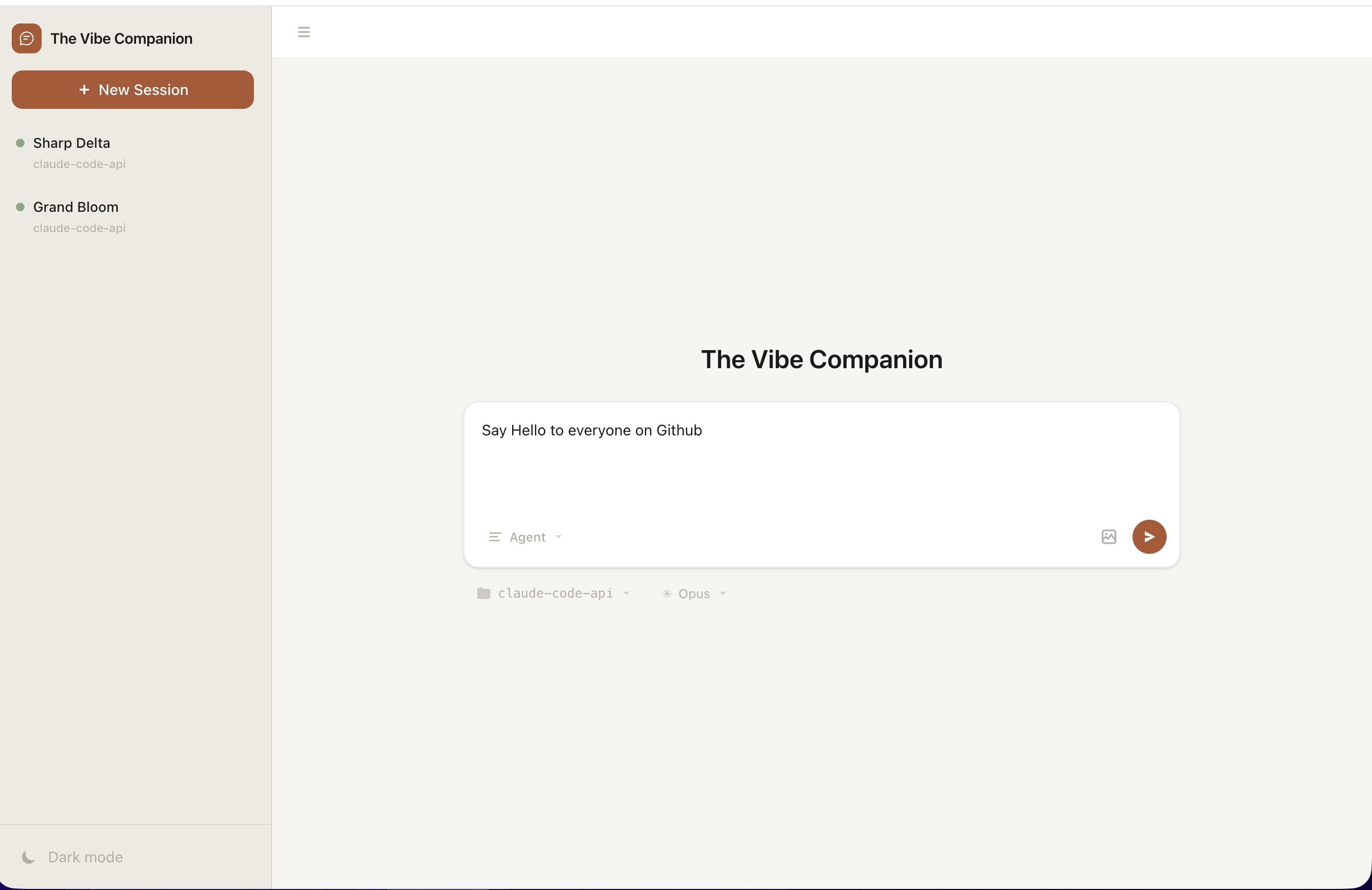
A web-based interface for Claude Code and Codex that provides multiple sessions, real-time streaming, and visual tool calls. Offers access to AI coding assistants without requiring your own API key.
What it does
Companion is an infrastructure manager for specialized AI agent fleets. You describe agents, providers, identities, memory vaults, networking, and shared chat in TOML. It compares that desired setup with live infrastructure, previews changes, deploys them, and records state locally.
Why it's ranked here
The repository supports a serious operations workflow, not merely a chat front end. Deterministic resource addresses, drift reporting, guarded deletion, provider validation, and plan-before-apply behavior make deployments understandable. Its narrow infrastructure choices and credential requirements limit its fit, but the safety model is unusually concrete.
What's good
Plans distinguish creation, updates, deletion, drift, and no-op resources before mutation. Protected resources require explicit destruction, while persistent data adds backup confirmation. Secrets stay outside desired configuration and plan output exposes names rather than values. Failed console edits roll back workspace changes after validation errors.
Tradeoffs
Live operation depends on configured Fly, Tailscale, and OpenRouter credentials. The default architecture also brings Hermes, Granite, and Open WebUI into the operating model. Users must maintain TOML configuration, an environment file, generated artifacts, and SQLite state together. Applying a plan mutates remote infrastructure.
How to use it well
Use it when a solo operator, internal team, or consultant needs repeatable fleets with distinct identities, models, memory, tools, and private access. Keep one workspace as each fleet's operating home, validate edits, inspect the plan, then apply. It does not replace general cloud orchestration or eliminate provider accounts and credentials.
Technical notes+
go.mod defines a Go 1.25 module using Cobra, TOML parsing, and a pure-Go SQLite dependency. internal/cli/cli.go assembles commands for initialization, validation, planning, application, destruction, state, identity, vaults, dashboards, consoles, and control planes. internal/plan/plan.go builds resource actions and vault graphs. internal/fly/api.go and internal/fly/fly.go support direct HTTP and Fly CLI provider modes. internal/console/api.go implements JSON endpoints with plan hashing, stale-plan rejection, serialized workspace edits, validation rollback, and asynchronous apply protection. Tests appear in internal/cli/cli_test.go, internal/fly/api_test.go, and internal/fly/fly_test.go.
Observed
- Primary language
- Go
- Packaging
- Install script places the companion CLI binary in ~/.local/bin by default
- Interfaces
- CLI, local status dashboard, JSON status routes, and console API
- Configuration and state
- TOML workspaces define desired state; SQLite records operational evidence
- Provider surface
- Fly runtime, Tailscale private networking, and OpenRouter model routing
- Testing structure
- Repository includes CLI and Fly provider test files
Read from README.md, go.mod, internal/cli/cli.go, internal/fly/api.go, internal/fly/fly.go, internal/plan/plan.go, internal/console/api.go, internal/cli/cli_test.go, internal/config/types.go, internal/execx/runner.go, internal/fly/api_test.go, internal/fly/fly_test.go.
What it can do
Generate code from natural language prompts
Natural language description of desired code functionality → Source code in specified programming language
Debug and fix code errors
Code with bugs or error messages → Corrected code with explanations of fixes
Explain code functionality
Source code snippets or files → Plain language explanations of what the code does
Refactor existing code
Working code that needs improvement → Optimized or restructured code
Manage multiple coding conversations simultaneously
Multiple coding queries or projects → Separate conversation threads with context preservation
Stream AI responses in real-time
Coding questions or prompts → Live-updating AI responses as they are generated
Execute visual tool calls for code analysis
Code requiring visual representation or analysis → Visual diagrams, charts, or graphical code analysis
Tags
Tech Stack
Media
Comments (0)
No comments yet
Editorially curated, with community endorsements as a secondary signal. Corrections welcome.