Interpreter
www.openinterpreter.com- Category
- AI Agents
- Rank
- No. 3343Tools index
Previous survey · No. 3227 ·
- Pricing
- Freemium
- Type
- APP
- Use case
- Productivity & Collaboration
- Interfaces
- Desktop
- Date
About
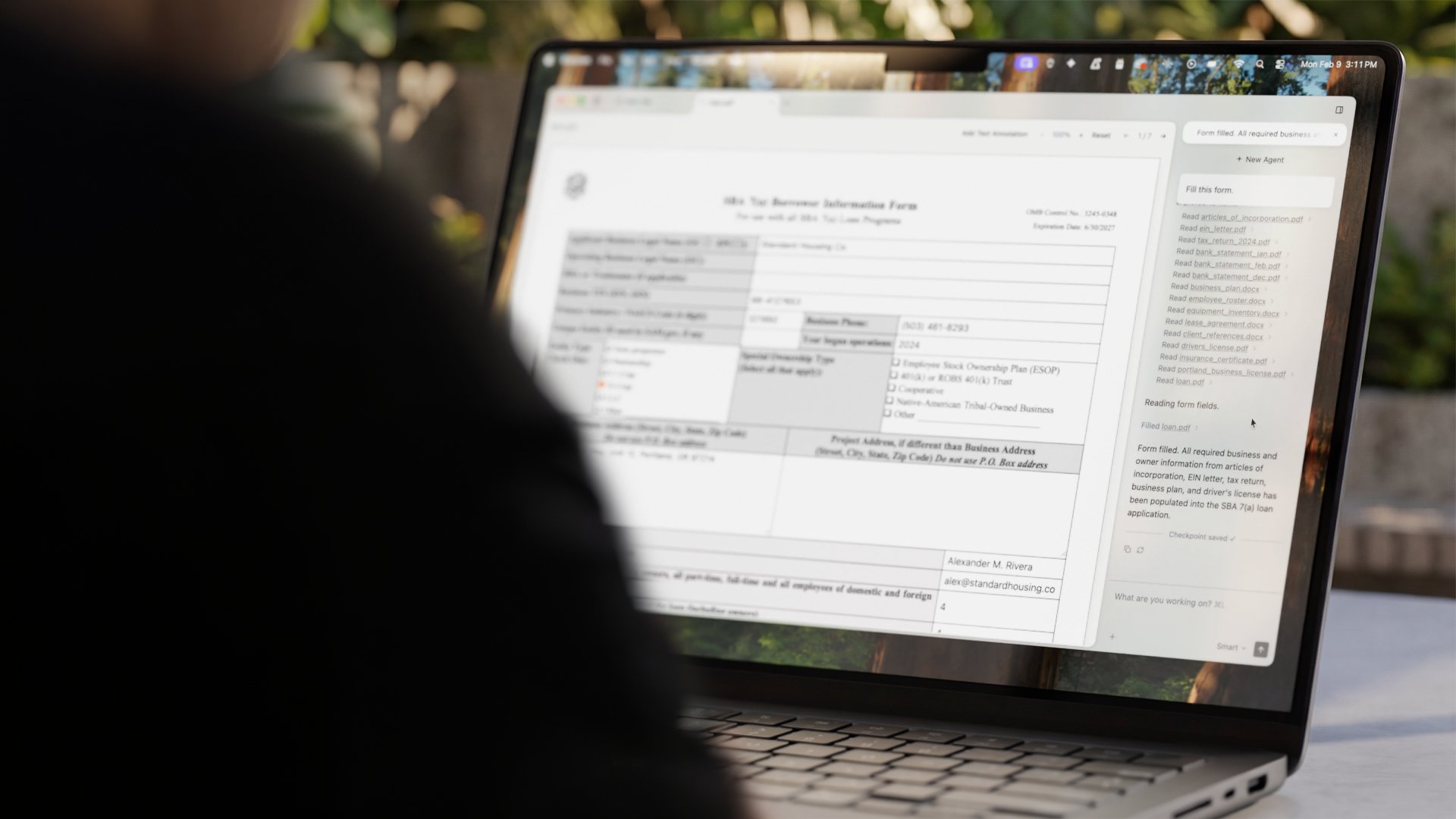
A desktop agent workspace for local files, with a managed product advertising Word/Excel editing and PDF tasks. Community source includes read-only Office previews; rich embedded editing/conversion needs an optional separately installed document engine.
At a glance
Interpreter Desktop is an agent workspace for working with local files, including documents and spreadsheets. It is worth evaluating when you want to inspect an agent’s file operations alongside their results. Choose the distribution carefully: the advertised desktop product offers rich document editing, while the community source includes read-only Office previews and needs an optional document engine for embedded editing.
Good fit
People whose tasks involve a folder of files rather than an isolated chat answer. Workspaces organise access to those files, and approval controls make proposed operations a visible part of the workflow. Code and reusable skills can transform or generate documents even when an embedded editor is unavailable. That is a different interaction from manually editing every cell or paragraph.
Consider something else when
You expect the community build to include every feature of the managed product, or need demonstrated fidelity for important Office documents. The source documentation explicitly separates local read-only DOCX/XLSX/PPTX previews from optional rich editing and conversion. Permission controls and an open repository also do not establish that every agent-generated operation is safe or correct.
Start here
Follow Desktop App from the current site; its main landing page also promotes a terminal coding agent. Before installing a reviewed distribution, check its engine, model and platform requirements. A useful first task would use disposable copies of a small document, inspect the proposed change and compare the saved result in its usual application. This guide inspected the platform selector and source, without downloading the app or editing a file.
Cost and requirements
The desktop page offers Free with your own model key or supported ChatGPT login, Pro at $20 per month with hosted models, and Business at $60 with more usage. It lists Apple Silicon/Intel Macs and Windows, with Linux experimental. Model choice changes data handling: the page describes local models, direct provider use with your key, and hosted requests logged for up to 30 days.
Limits to know
The community source is Apache-2.0 licensed, but optional document engines have their own installation and licensing obligations. Its source-build toolchain includes Node 22, pnpm 9, Bun and Rust; it is more involved than opening a web app. Research covered the document-engine boundary, workspace/approval documentation and selected source. Office fidelity, model quality, computer control and the enforcement of every permission boundary were not tested.
Sources checked 2026-10-30. Source-based assessment.
- www.openinterpreter.com
- www.openinterpreter.com/desktop
- github.com/openinterpreter/interpreter-workstation/blob/main/README.md
- github.com/openinterpreter/interpreter-workstation/blob/main/LICENSE
- github.com/openinterpreter/interpreter-workstation/blob/main/docs/document-engine.md
- github.com/openinterpreter/interpreter-workstation/blob/main/docs-site/website/privacy/page.mdx
- github.com/openinterpreter/interpreter-workstation/blob/main/docs-site/website/approvals/page.mdx
- github.com/openinterpreter/interpreter-workstation/blob/main/docs-site/website/workspaces/page.mdx
What it can do
Offer agent code-and-skills document operations
Workspace files and task → Generated or transformed files requiring review
Render bundled read-only previews
DOCX/XLSX/PPTX in community build → Local document inspection, not embedded editing
Enable optional rich editing/conversion integration
Compatible separately installed document engine → Distribution-dependent document workflow; fidelity untested
Why it made the leaderboard
Combines agent file operations and document inspection in one workspace. Choose the distribution, engine and model provider before evaluating document fidelity, costs and data exposure.
Intel on Interpreter
Tags
Media
Comments (0)
No comments yet
Editorially curated, with community endorsements as a secondary signal. Corrections welcome.