
- Category
- AI Tools
- Rank
- No. 688Tools index
- Listed in
- #14 Run models locally
- Pricing
- Open Source
- Type
- APP
- Interfaces
- Desktop · API · MCP
- GitHub
- 44.8k stars
- Latest release
- v0.8.4
- Date
About
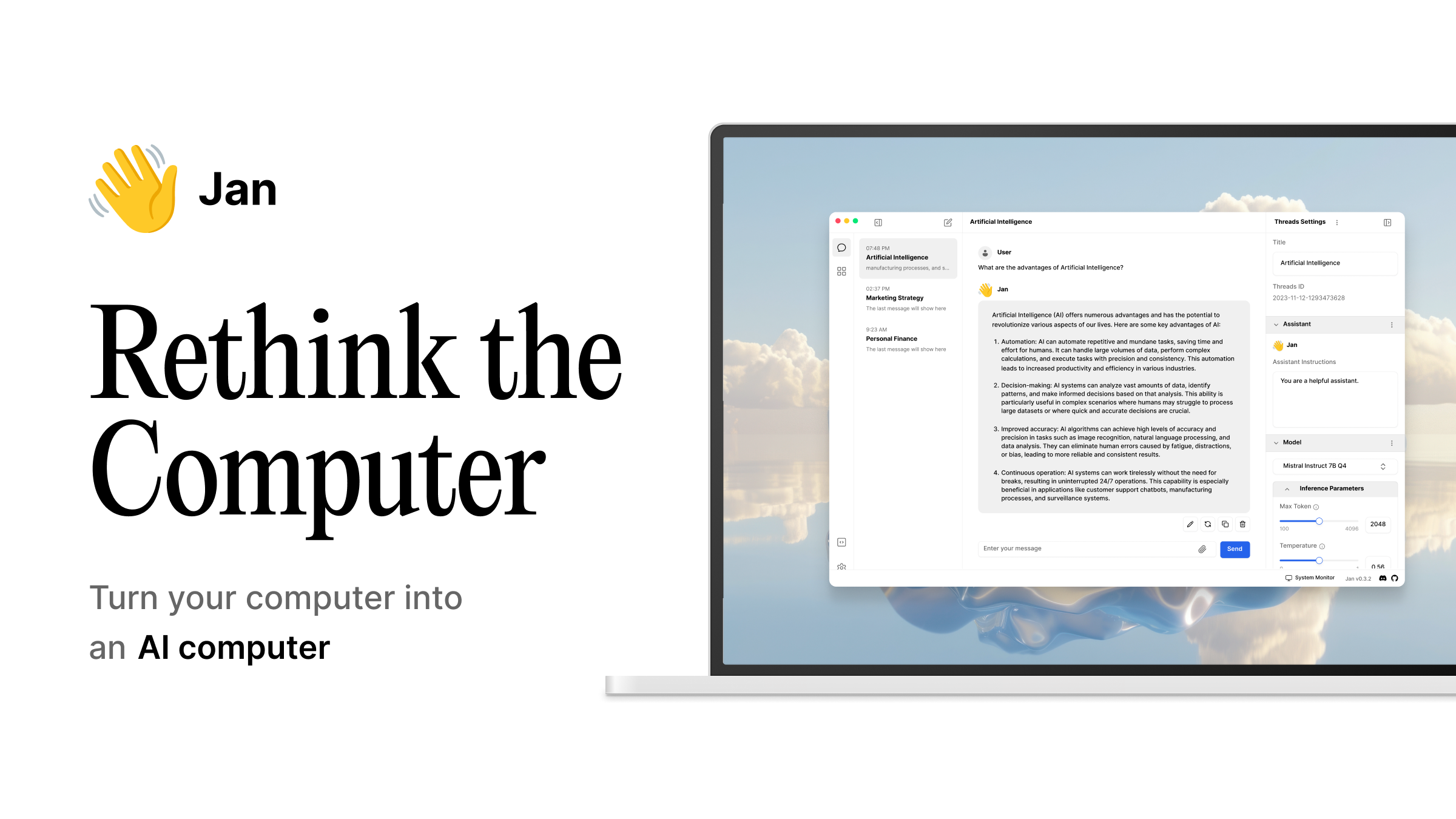
Jan is an open-source desktop application that lets users run large language models locally for full privacy, or connect to cloud providers like OpenAI, Anthropic, and Mistral. It offers custom assistants, an OpenAI-compatible local API server, and MCP integration for agentic workflows, with over 4 million downloads and 44.3K GitHub stars.
What it does
Jan is a cross-platform desktop chat interface that pairs a Rust-based native shell with an embedded local-inference engine, letting it download and run open models such as Llama, Gemma, and Qwen directly on your own hardware. The same app can instead route a conversation to a hosted provider when you want a bigger model. It exposes a local server so other software on the machine can call whichever model is currently active, and it ships as native installers for Windows, macOS, and Linux, with the underlying engine compiled in separate builds depending on what GPU, if any, is available.
Why it's ranked here
Apache 2.0 licensing, an official Microsoft Store listing, and installer builds for Windows, macOS, and Linux all coming out of one repository make this a genuinely shippable product rather than a research demo. The build system already accounts for multiple GPU vendors and ships mobile build targets alongside the desktop ones, and its test suite is split across the core library, the web front end, and the extensions rather than left as one catch-all script. That level of packaging discipline is uncommon among local-model desktop clients, and it is what puts this one ahead of thinner alternatives.
What's good
The engine build is genuinely hardware-aware: separate variants exist for plain CPU, for two different GPU vendors' acceleration APIs, and for two CUDA generations, so the app is not quietly assuming everyone owns the same graphics card. Packaging goes beyond a bare GitHub release to an official Microsoft Store listing and a Flathub build, which lowers the trust barrier for a non-technical person installing something that talks to a language model. A known Windows build failure caused by an overly long file path is also handled automatically, relocating the build output rather than leaving contributors to debug a cryptic compiler error themselves.
Tradeoffs
Building this from source on Windows is not a one-command affair: it needs a specific compiler front end, plus separate build and packaging utilities, all correctly set up and on the system path, and GPU acceleration needs yet another vendor toolkit layered on top. The shared library that the rest of the app imports from is intentionally thin, so most of the real behavior lives inside the extensions and the native shell rather than in one place a newcomer could read start to finish. That spreads the actual logic across a larger workspace than the download page lets on.
How to use it well
This fits someone who wants one app for switching between a private, offline model and a hosted one for heavier work, instead of juggling separate clients for each. Point other local tools at its bundled server instead of a cloud vendor's endpoint when you want a drop-in stand-in during development. If the goal is to change how the app talks to models rather than just use it, expect real time spent in the extension code and the native shell, not a quick settings tweak. It is a poor fit if what you actually need is a headless, scriptable server with no desktop interface at all.
Technical notes+
The workspace root's package.json defines a yarn workspaces monorepo (core, web-app, extensions/*) built on Tauri and tested through three separate vitest projects (test:core, test:web, test:ext) plus a combined test:all and a coverage script using @vitest/coverage-v8; a husky prepare hook wires in git hooks, and dedicated ios/android scripts (dev:ios, dev:android, build:ios, build:android) sit alongside the desktop build targets in the same manifest. core/src/index.ts is a minimal barrel file that only re-exports './types' and './browser', confirming the published core package is a thin surface over implementation that lives elsewhere in the workspace. src-tauri/src/main.rs calls fix_path_env::fix() before spawning any subprocess so child processes inherit a corrected PATH, and contains a branch, tauri_plugin_agent_tools::run_sandbox_helper_if_requested(), that exits early when the binary is invoked as a Windows sandbox helper for a bash tool call, before handing off to app_lib::run(). The top-level README documents engine variants selected via a JAN_ENGINE_VARIANT token (cpu, vulkan, metal, cuda12, cuda13, hip/rocm) and a Windows-specific long-path failure during the tauri-plugin-llamacpp build step that the build script now works around by relocating the build tree under %LOCALAPPDATA%\jan-engine. docs/README.md documents a separate Nextra-based documentation site built to a static out/ directory and deployed to Cloudflare Pages via a jan-docs.yml workflow, entirely independent of the desktop app's own build pipeline.
Observed
- License
- Apache 2.0
- Local API interface
- Runs an OpenAI-compatible local API server for other applications to call
- Agent interface
- Supports Model Context Protocol integration for agentic capabilities
- Build stack
- Native shell is written in Rust and built with Tauri
- Distribution channels
- Distributed through an official Microsoft Store listing in addition to direct installers
- Hardware acceleration
- Engine builds are compiled in separate CPU, Vulkan, Metal, CUDA, and ROCm variants
- Documentation site
- Documentation is a separate Nextra-based static site, independent of the desktop app build
Read from README.md, package.json, core/src/index.ts, src-tauri/src/main.rs, docs/README.md.
What it can do
Run large language models locally on the user's device
Local LLM model → Generated text
Connect to cloud AI providers such as OpenAI, Anthropic, and Mistral
API credentials/prompt → Model response
Create custom assistants
Assistant configuration → Custom assistant
Intel on Jan
Tags
Tech Stack
Media
Comments (0)
No comments yet
Editorially curated, with community endorsements as a secondary signal. Corrections welcome.