HyperGit
github.com/dimillian/hypergit- Category
- Developer Tools
- Rank
- No. 2995Tools index
Previous survey · No. 2851 ·
- Pricing
- Open Source
- Type
- APP
- Use case
- Data, Retrieval & Knowledge
- Interfaces
- CLI
- Builder
- dimillian
- GitHub
- 39 stars
- Date
About
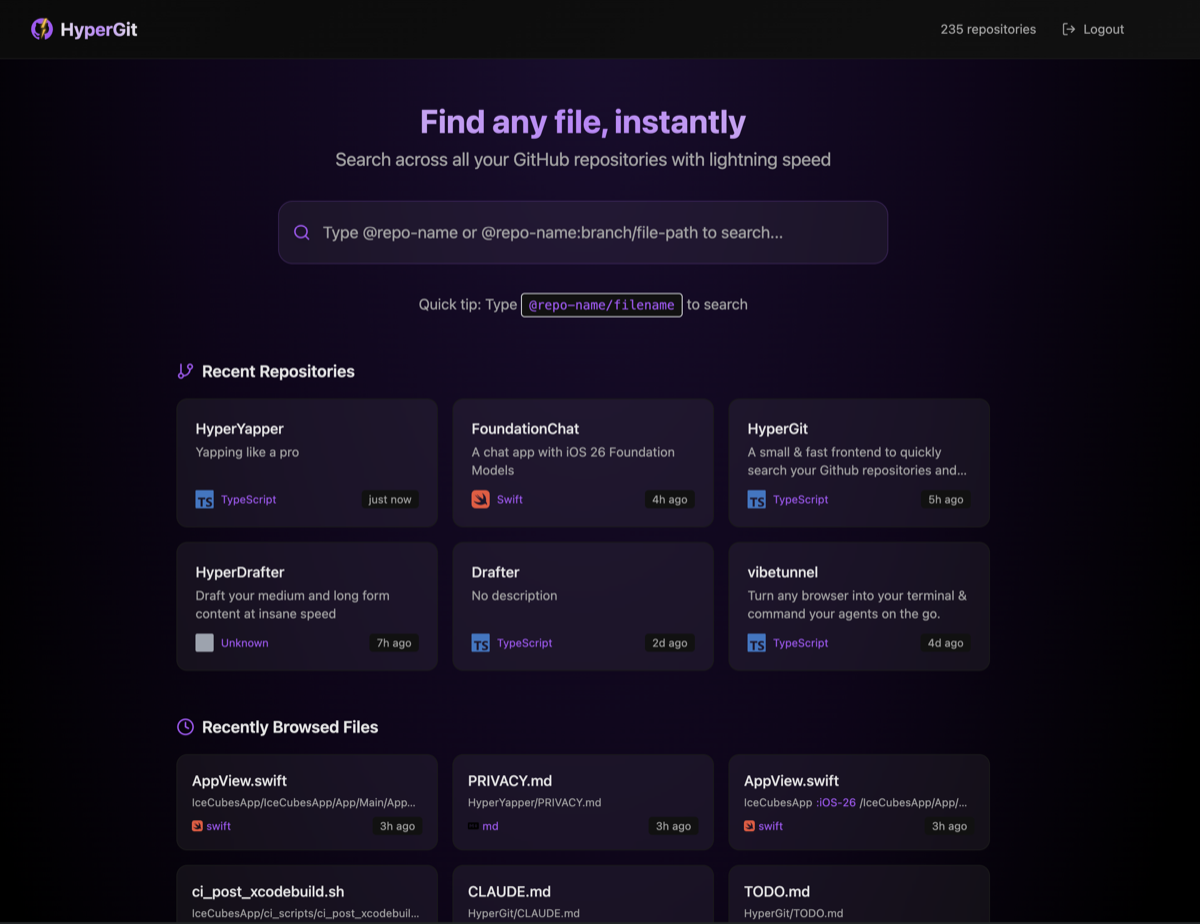
Dimillian's small, fast frontend for quickly searching your GitHub repositories and files — jump-to-anything for your account in milliseconds.
What it does
HyperGit is a browser-based workspace for exploring GitHub code. It combines repository and folder navigation, branch selection, fuzzy file lookup, syntax-highlighted viewing, and keyboard controls. It also remembers recent files and lets users save selected code lines as snippets or render them as images.
Why it's ranked here
The appeal comes from a coherent workflow, not search alone. Repository discovery, branch-aware browsing, file viewing, recent history, snippet storage, and image export live in one focused interface. Client-side caching should make repeat visits quicker. However, authentication data and personal collections rely heavily on browser storage, which narrows its security and portability story.
What's good
The search model handles repository names, branches, filenames, and paths through one compact syntax. Recursive tree loading and fuzzy matching support fast local lookup after data arrives. Keyboard navigation covers selection and backtracking. Recent files retain branch context, while saved snippets preserve line ranges, language, source repository, and editable titles. Image export supports both downloads and clipboard copying.
Tradeoffs
Setup requires cloning the project, installing dependencies, creating GitHub credentials, and configuring environment values. The requested repository permission covers private repository access. Personal access tokens, repository cache data, recent files, and snippets live in browser storage. Snippets are capped and lack account synchronization. File-tree persistence stores only part of larger trees, and cached data expires quickly.
How to use it well
It suits developers who repeatedly hunt through their own GitHub repositories, compare branch contents, revisit files, or turn short code selections into shareable images. Use it as a fast browser alongside an editor and GitHub itself. It does not provide editing, commits, pull-request management, collaboration, or a synchronized snippet service.
Technical notes+
This is a client-heavy Next.js and TypeScript application. app/page.tsx coordinates authentication state, search, repository browsing, recent items, and viewer modals. hooks/useGitHub.ts reads the GitHub token from localStorage and refreshes repositories behind a cache. lib/github/api.ts wraps GitHub REST v3, paginates repositories, loads recursive trees, fetches branches and file contents, and falls back from code search to directory traversal. lib/github/cache.ts builds Fuse.js indexes with five-minute LRU entries and partial localStorage persistence. lib/github/repositoryCache.ts stores repository results alongside the token for thirty minutes. lib/recentFiles.ts and lib/recentSnippets.ts keep browser-local history. lib/screenshot.ts uses html-to-image for high-density PNG download and clipboard output. package.json exposes development, build, start, and lint scripts.
Observed
- License
- MIT License
- Primary language
- TypeScript
- Packaging and install
- Source-installed npm application with development, production build, start, and lint scripts
- Interface
- Browser-based Next.js web application
- External API
- GitHub REST API v3, including repository contents, branches, code search, and Trees API access
- Authentication
- GitHub OAuth or a personal access token with repository scope
- Client persistence
- Browser localStorage holds repository caches, file-tree caches, recent files, snippets, and personal access tokens
Read from README.md, package.json, lib/screenshot.ts, lib/recentFiles.ts, lib/recentSnippets.ts, lib/github/api.ts, lib/github/cache.ts, lib/github/repositoryCache.ts, global.d.ts, next.config.js, postcss.config.js, tailwind.config.js, app/page.tsx, app/layout.tsx, hooks/useGitHub.ts.
What it can do
Search GitHub repositories
Repository name or keyword → List of matching repositories
Search files within repositories
File name or keyword → List of matching files with their locations
Navigate to specific repository
Repository selection → Repository view or redirect
Navigate to specific file
File selection → File view or redirect
Browse GitHub account repositories
GitHub account credentials/access → Complete list of user's repositories
Tags
Tech Stack
Media
Comments (0)
No comments yet
Editorially curated, with community endorsements as a secondary signal. Corrections welcome.