V3 Audiotags
- Source
- elevenlabs.io
- Author
- ElevenLabs editorial sitemap
- Date
Context
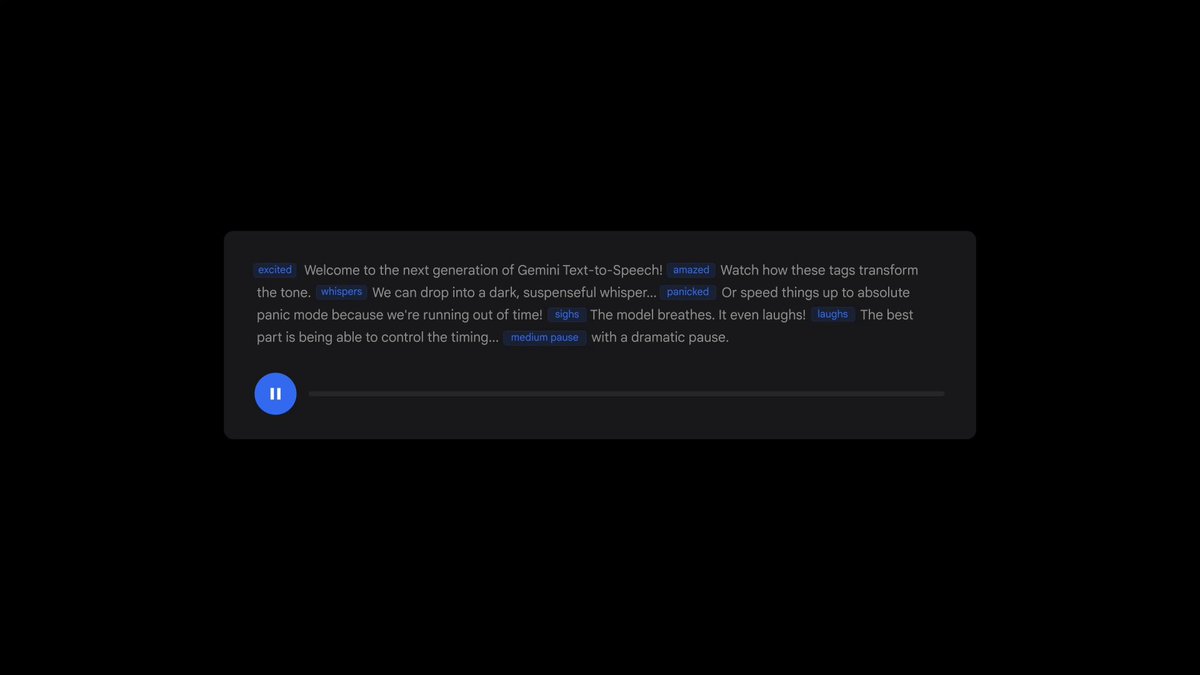
ElevenLabs lets writers put performance directions directly into scripts for its Eleven v3 and v4 speech models. Audio Tags are natural-language cues enclosed in square brackets, placed where delivery should change. A whispering or worried cue tells the model how to perform the surrounding words, allowing emotional shifts within a passage. The guide explains their placement and use.
Voice selection still matters. The guide acknowledges that v3 sometimes reads a direction aloud when the chosen voice does not suit it, and recommends voices with a wider emotional range for heavily tagged scripts. Tags provide a way to request a performance; the selected voice helps determine whether that request works. The troubleshooting section describes this failure.
- ElevenLabs maps SSML habits to v4 equivalents: a pause becomes [pause], an ellipsis or a line break; slowing speech becomes [drawn out] or [slowly]; speeding up becomes [rushed]; and emphasis becomes [shouts] or a capitalized word.
- For pauses without SSML, the guide points to punctuation: an ellipsis gives a natural trailing pause, a line break a longer beat, and commas create natural breathing patterns.
- v3 sometimes reads a tag aloud instead of performing it, typically when the voice does not fit the requested delivery, such as a soft-spoken voice asked to shout. ElevenLabs advises picking voices with wide emotional range for tag-heavy scripts.
- Beyond emotion, tags can switch a single voice into an accent or persona such as [French accent] or [pirate voice], and can insert non-speech sound effects like [gunshot] or [clapping] directly into the generated audio.
- For multi-speaker scripts, the guide suggests starting each line with a tag and using cues like [interrupting] and [overlapping] to produce cut-ins; ElevenLabs also says v3 tags work with both Instant and Professional Voice Clones.

Checking sign-in…
Loading comments…