Per-key spend tracking and hard limits arrive in the OpenAI API
- Source
- x.com
- Date

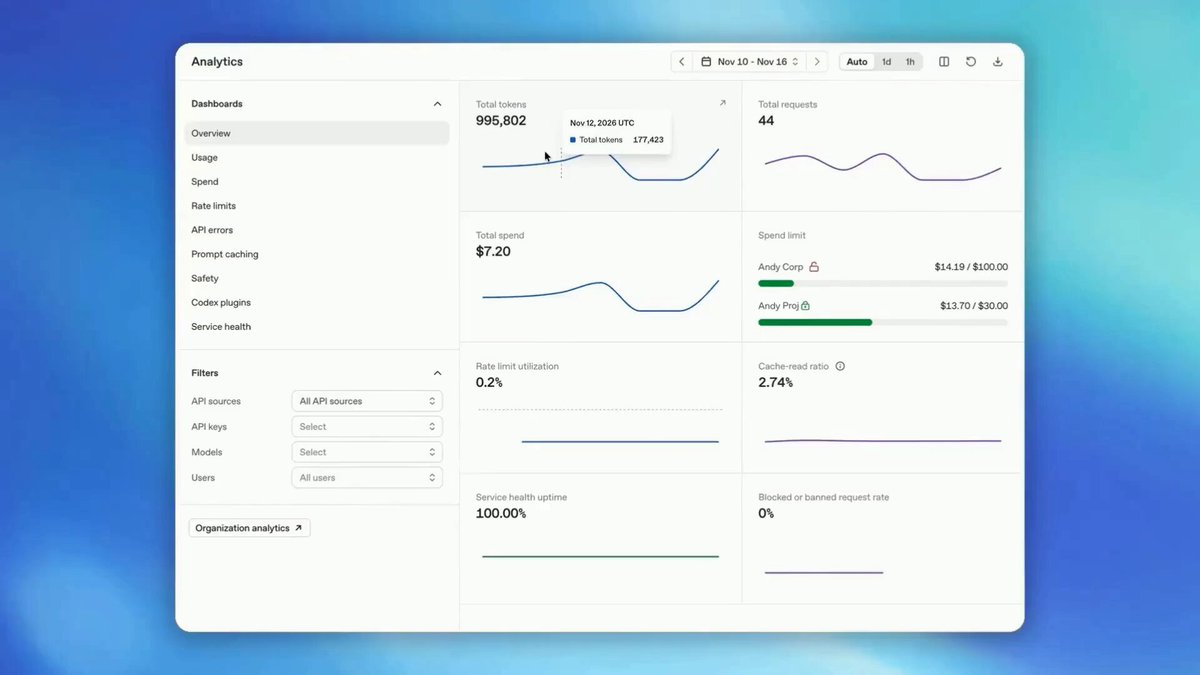
You can now track usage and spend by API key in the Usage and Spend dashboards to see which apps and workloads drive your spend. Set monthly organization or project spend limits, including hard limits that stop traffic when reached.

Context
OpenAI's usage and spend dashboards can now break costs down by API key, the an uses to call the API. OpenAI Developers announced the change together with monthly spend limits for organizations and projects, including hard limits that stop traffic. A team that gives each app or workload its own key can now see which one drives the bill instead of reading a single total.
The two features work at different levels. Keys are a reporting view, while caps apply to an organization or a project. OpenAI's spend limits guide says a project limit covers only traffic billed to that project, an organization limit covers all its projects, and both can apply to the same request. Once a hard limit is reached, requests fail with a 429 error whose code names the organization or project limit. Traffic stays blocked until someone raises or removes the limit or the next monthly cycle starts. Spend alerts only send a notification and let traffic continue. Neither the announcement nor the guide describes a cap on a single key, so a workload that needs its own ceiling needs its own project.
The cap is not exact. The guide says enforcement takes time to propagate, so recorded spend can slightly exceed the configured amount. It also separates these customer-set limits from the monthly usage limit OpenAI assigns each organization by usage tier.
- API — Application programming interface: the agreed set of operations, inputs and outputs through which one piece of software uses another.
- Credential — Something presented with a request to prove that the sender is a particular identity, such as a password or a generated key.
- Application — Software arranged so that a person can use it; in this course, the software around a model that accepts your request, prepares the context and shows the reply.



Checking sign-in…
Loading comments…